To set EQ for talk radio you do five things: put a high-pass filter on at 80 Hz, cut 4 to 6 dB around 100 to 200 Hz, trim another 2 dB in the 200 to 300 Hz region, add 2 to 3 dB of presence between 2 and 3 kHz, then take 2 dB off the 5 to 8 kHz band to stop “s” sounds going sharp. Ten minutes of work, and voices stop sounding boomy or muffled.
Most EQ presets in a radio, a car or a streaming app are built for music, where a big low end and bright top end are the point. Talk radio is a different signal. Almost all the useful speech energy sits between roughly 100 Hz and 4 kHz, and the station has already squeezed, limited and bass-boosted it before it reaches you. Running a music curve over that just makes the boom worse.
Here is the shape I would start from, written as a table you can type straight into whatever EQ you are looking at.
| Frequency band | Change | What it fixes |
|---|---|---|
| Below 80 Hz | High-pass filter, 12 dB per octave or steeper | Rumble, road noise, engine noise, handling vibration felt through the door panel |
| 100 to 200 Hz | Cut 4 to 6 dB | Boominess. This is the male voice fundamental and the single most common cause of a muffled-sounding radio |
| 200 to 400 Hz | Cut 2 dB | Mud, boxiness and the throaty quality that makes a voice sound far away |
| 1 kHz | Leave flat | Stays open when the bands either side are trimmed |
| 2 to 3 kHz | Boost 2 to 3 dB | Intelligibility. Consonants and word endings land here, so this is where clarity comes from |
| 5 to 8 kHz | Cut 2 dB | Sibilance. Stops “s”, “sh” and “t” cutting into you over a long drive |
Two rules sit underneath all of it. Cut before you boost, because your ear hears a lift as loudness rather than as detail. And keep every single move inside 3 to 5 dB, because a large cut in one band lets you put that same amount back somewhere else, and once you are past 5 dB you are just re-recording a different station.
Table of Contents
- What You Need
- Step-by-Step: How to Set EQ for Talk Radio
- Common Mistakes
- Frequently Asked Questions
- What are the best EQ settings for talk radio?
- Should I use a music preset for podcasts and talk radio?
- How do I make radio voices sound clearer on headphones?
- What EQ setting works best for speech in a car?
- Is it better to boost or cut frequencies for clearer dialogue?
- How can I reduce harsh sibilance in talk radio?
- Conclusion
What You Need
Almost nothing, which is why this is worth doing on your own kit. You need the audio source, whatever is playing it, and an EQ control that moves more than the bass and treble knobs.
The source is where the audio comes from: DAB or FM in the car, an internet radio stream from a phone app, a podcast, or a file. The device is what you listen through: car stereo, home hi-fi or amplifier, Bluetooth speaker, smart speaker, earbuds or headphones. The EQ is the control panel on that device. Some give you three knobs, some give you a proper curve editor.
Useful extras, in the order they help. A pair of familiar programme recordings, so you are not judging on unfamiliar voices. A second pair of speakers or an easy volume knob, because a change on a phone EQ rarely survives the trip to a car stereo. And a measurement tool, such as a free spectrum analyser app with a microphone input, if you want to see the room problem instead of guessing at it.
A few terms worth knowing before you touch anything:
- High-pass filter (HPF) also called low-cut. It removes everything below a chosen frequency and leaves the rest alone. It is the single most useful control for speech.
- Low-pass filter (LPF) is the opposite, cutting everything above a frequency. Rarely useful for talk radio, since nothing you need lives up there.
- dB (decibel) is the unit of change. 3 dB is roughly a doubling of loudness in one band. It is not a percentage.
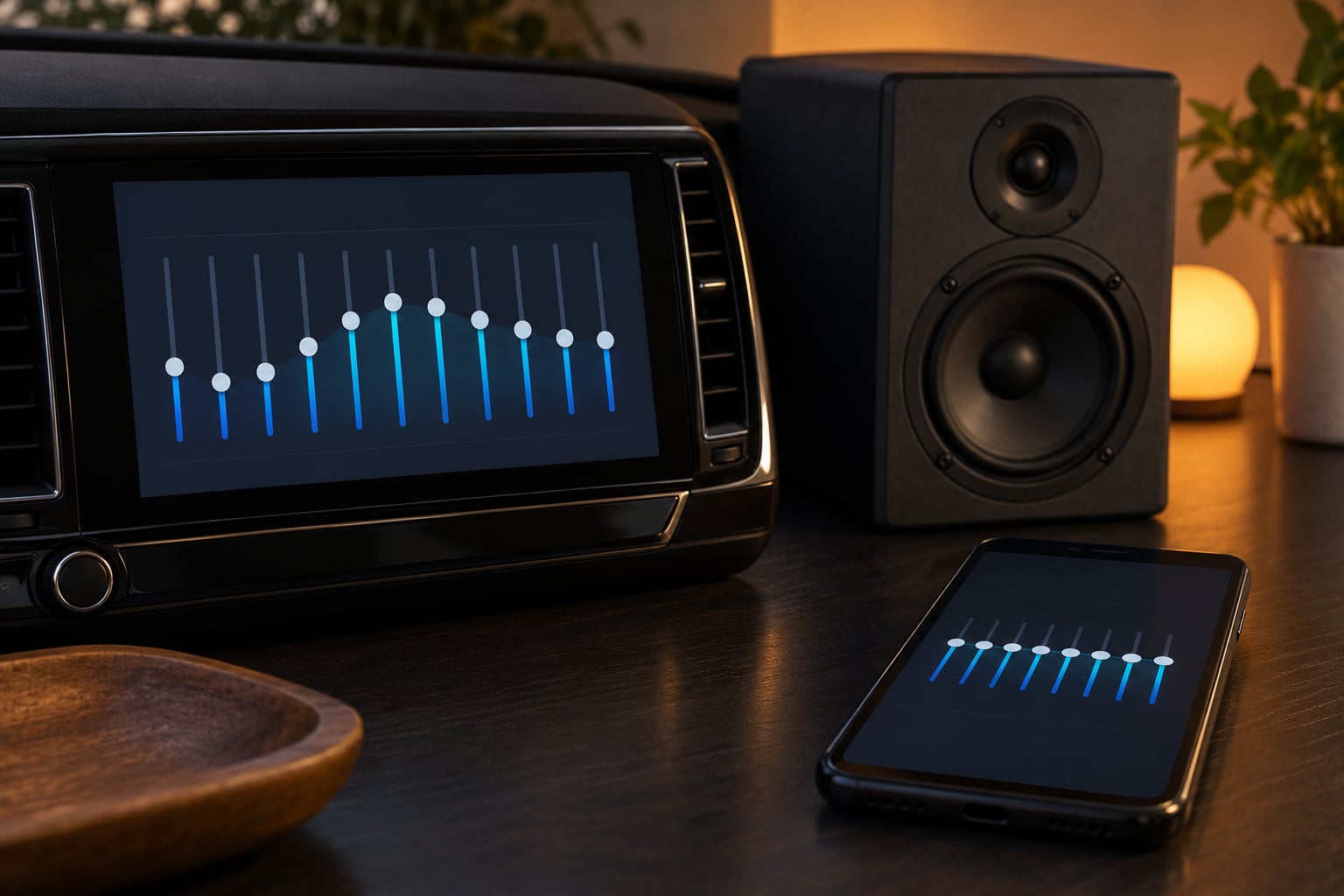
- Graphic EQ gives you a row of sliders, usually five to ten bands. Most car stereos and speaker apps use this.
- Parametric EQ lets you pick the exact frequency and the width of the cut, so you can fix 180 Hz without touching 120 Hz. Phone apps and streaming apps usually give you this.
- Shelf adjusts everything above or below a frequency rather than a slice of it. A treble knob is a shelf.
- Q controls how wide a parametric cut is. Narrow and precise, or wide and gentle.
- Preamp is a level trim you pull down to make room for boosts. If your device has one, set it to minus your largest boost.
Step-by-Step: How to Set EQ for Talk Radio
Start With a Flat EQ
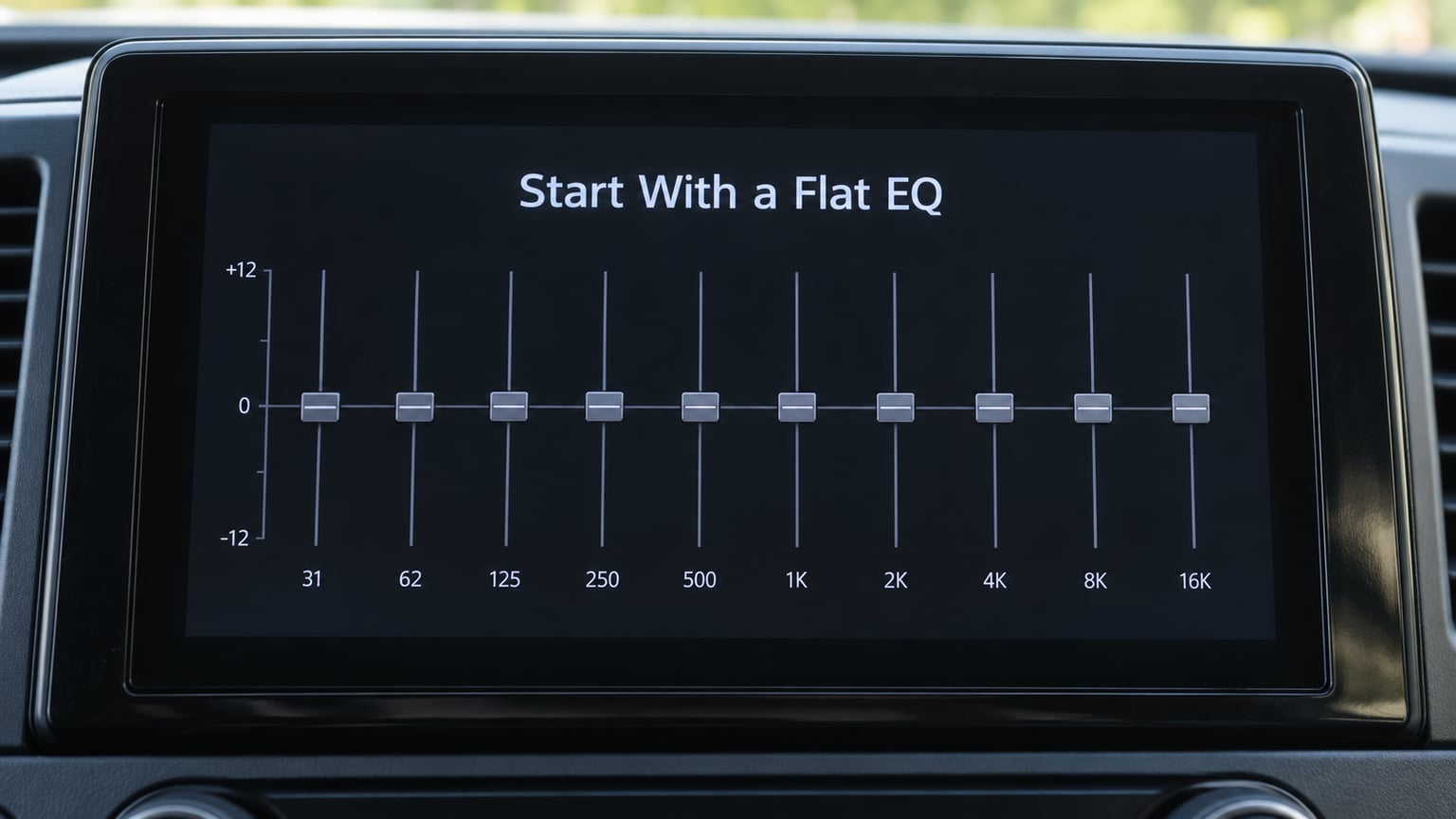
Before you change anything, put every control at zero and turn the EQ off completely, then back on again. Half the bad settings people live with are leftovers from a shop demo or a previous owner, layered two or three deep.
Look for a flat, custom or user mode rather than a named preset. Presets such as Rock, Bass Boost or Loudness are shaped assumptions, and applying a new preset on top of an old one is the single most common reason a system gets worse with every visit to the menu.
Then play something you know well at a volume you would actually use. Write down the volume number. Every judgement you make from here on has to happen at that same number, because a boost at a whisper sounds enormous and a cut at a shout sounds pointless.
Set the High-Pass Filter at 80 Hz
Switch on the high-pass filter and set it to 80 Hz with a slope of 12 dB per octave or steeper. This is the one setting I would never skip.
Human speech has no useful content below about 80 Hz, but car cabins, desk speakers and Bluetooth speakers all produce plenty down there: tyre roar, engine harmonics, the thump of a passing lorry, desk vibration. On a car system that low end is usually doing nothing except smearing the bottom of every vowel into the one above it.
If your device only offers a Low Cut on a 60 or 100 Hz band, use it and move on. If it offers a proper parametric filter, 80 Hz at a moderate Q is the value. Deeper and steeper also works on a noisy car system, but if you start hearing a thin, reedy voice in a quiet room you have gone too far, so come back to 60 or 70 Hz.
Set the Low Frequencies for Voice Clarity
With the low end gone, trim 4 to 6 dB out of the 100 to 200 Hz band. This is the band that makes talk radio sound like it is talking through a pillow, and it is where most of the work is done.
Male speakers put their fundamental voice frequency between roughly 80 and 180 Hz. When that band is loud, the voice sounds heavy, chesty and slow, and listeners describe it as boomy, muffled or underwater. Female and higher voices sit higher, around 160 to 260 Hz, so they get hit harder by the next step instead.
Cut more than you think you need to. A car stereo with a bass roll-off in the factory curve already stacks extra gain into the low end, so a modest 4 dB cut on top of that reads as a large change. Set the bass knob to zero rather than a negative number where the interface allows it, because a dedicated bass control and an EQ cut on the same band do not always add up the way you expect.
Reduce Muddiness in the Lower Midrange
Take another 2 dB out around 200 to 400 Hz. Go gently here, because this is where warmth lives as well as mud, and it is the band you will notice missing in a small Bluetooth speaker once it is gone.
What you are after is the difference between a voice that sounds close and a voice that sounds like it is in the next room. If the consonants are there but the voice still feels behind the music-like thump of the low mids, another 1 dB at 250 Hz will do more than any amount of treble.
On a five-slider graphic EQ, the lowest two sliders are all you have, so split the work: set the 60 Hz slider to minus 6 and the 250 Hz slider to minus 2. On a parametric app, keep the cut narrow and centred between 150 and 250 Hz rather than spreading it, because a wide cut takes the chest out of the voice along with the mud.
Bring Forward Speech Without Harshness
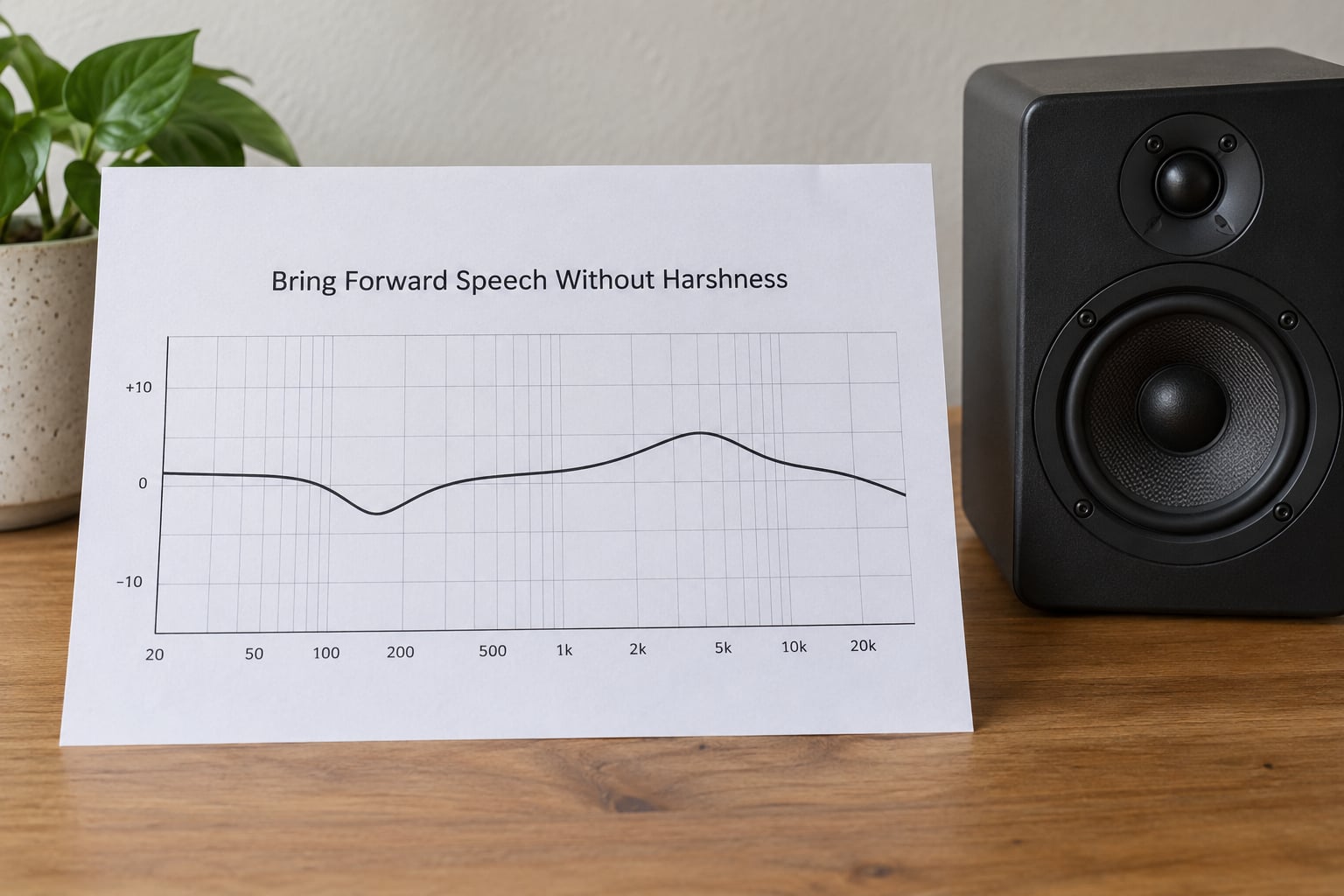
Now add 2 to 3 dB at 2 to 3 kHz. This is the only boost in the whole process and it is where the clarity comes from.
Most of what makes speech intelligible is not the vowel, it is the consonant: the t, k, p, f and the sibilant endings. Those live in the upper midrange, and when the mids are buried under a big low end the brain is doing work it should not have to do. Lift that region and words stop running together.
Two dB is usually plenty. Three feels like a lot on a bright speaker and barely registers on a dull one, which is why you need to move the whole thing to a second device rather than assume a setting transferred. If the voice starts sounding like it is being pushed through a small hole in a wall, that is the nasal quality of an overdone 2.5 kHz lift, so back it off by a dB before touching anything else.
Keep the presence lift separate from the treble control. Bass, mid and treble sliders on a car stereo are usually fixed bands with their own gain staging, and a mid slider that adds presence while the system has already rolled off the low end can shove the whole balance further off than the number suggests.
Control Sibilance and Harsh Highs
Take 2 dB off the 5 to 8 kHz band, less if your system is already bright. Then listen for the letter “s” in a full sentence rather than hunting for it deliberately.
Sibilance is the most irritating fault in long-form speech listening and the easiest to overlook, because it does not announce itself until you have been in the car for forty minutes. If “s” and “sh” cut across the voice, a small cut high down is the fix. A broad treble cut on a system that has just had presence boosted can undo the clarity you came for, so use the narrowest control you have.
Where the EQ only gives you one treble knob, cut it by 1 to 2 steps and stop there. You can go back to the 2 to 3 kHz band afterwards if the voices then sound dull, because a cut above 5 kHz should not touch presence, but a cheap shelf filter sometimes bleeds a little further down than the label suggests.
Match the EQ to Your Device and Room
The same numbers behave differently on different hardware, so expect to dial them in again. The shape stays; the amounts change.
Car stereo. Cabin gain staging means the low end is already overcooked, so cut more than feels sensible, keep the bass knob at zero, and add no more than about +1 on the treble slider. Car audio threads on Gearspace and DIYMobileAudio converge on roughly that shape for spoken word: bass at zero, treble barely up, low mids trimmed. If the head unit has a per-source memory, save the speech curve against the radio or DAB source and leave the music curve alone.
Home stereo or amplifier. A quiet room behaves much more honestly than a car, so the cuts can be gentler: 3 dB at 150 Hz, 2 dB at 250 Hz, +2 dB at 3 kHz, minus 1 dB up top. Watch the speaker-to-wall boundary bass reinforcement, which adds low-mid energy in a corner or against a rear wall. Push the speakers out into the room and a lot of the problem stops needing an EQ fix.
Phone. On iPhone, open Settings, then Music, then EQ, and pick Spoken Word or Vocal Booster before you touch the sliders. On Android, look in Settings under Sound and vibration for Audio effects or Equaliser, or in the vendor app such as SoundAssistant or Soundscape. Both phones also run third-party parametric EQ apps that give you exact frequency control, which beats a five-band graphic by a distance on this job.
Bluetooth speaker. Most of these have a built-in tone control behind a button rather than a menu, and the control is usually called Voice, Sound or EQ. Small speakers roll off hard below about 150 Hz, so a 4 dB cut can leave nothing behind. Try 2 dB at 100 Hz and shift the rest of the work into the low mids and presence, because those are the bands a small driver can still reproduce.
Streaming apps. Spotify keeps its equaliser under Settings, then Playback, then Equalizer on mobile, with a custom band set available on premium. Apple Music builds one into iOS and also in the Mac and Windows apps under Audio settings, and it already ships a Spoken Word preset that is a reasonable starting point. VLC has a ten-band equaliser with a Speech preset under Tools, then Effects and Filters, then Audio Effects. YouTube has no EQ of its own, so it inherits whatever your phone or operating system applies, which is another good reason to build one speech profile and leave it there.
Test and Save Your Talk Radio Settings
Test with material you know, on at least three sources: your local talk station, a national news station and a spoken-word podcast. Different stations process and transmit differently, and a curve that flatters one can make another sound thin.
Use dialogue-only passages for the judgement, not adverts or music beds. Listen for three things in order: can you follow every word at a low volume, does the voice sound close rather than distant, and do the “s” sounds stay comfortable after twenty minutes. If the first two are right and the third is not, the only change you need is another dB up top.
Then save it. Name the profile Talk or Speech, store it separately from any music curve, and note the device it was built for, because a phone preset carried into a car will be wrong in both directions. If your EQ has a preamp or headroom control, set it to minus your biggest boost so the boosts do not clip.
Expect to fine-tune once more after a few listening sessions. Voice EQ goes wrong slowly, and the last decibel usually comes from noticing you have turned the volume down without thinking about it, which is the point of the whole exercise.
Common Mistakes
Almost every disappointing talk radio EQ comes from one of these.
Boosting several bands at once. Push 4 kHz on every channel, add treble, lift the mid slider, and you get loudness with no extra intelligibility and a lot of fatigue. Move one band, listen for a minute, move the next.
Using a music preset. Bass Boost, Rock, Loudness and club curves all exist to make music hit harder. They add low end that speech does not have and top end that broadcasts never contained, so a station that started slightly dull ends up a two-hander.
Making drastic cuts. Anything past about 6 dB in one move stops being a correction and becomes a different sound. The cut-first rule is about small subtractions, not removing a third of the signal.
Judging at the wrong volume. Set the EQ while the system is barely audible and every boost sounds enormous. Set it while someone is talking over you in another room and everything sounds fine. Do it at normal listening level, and match the level every time you compare.
Moving bass and treble together. Turning both up by the same amount is a volume change with extra steps. The pair of knobs is the least useful control on the system for speech and the easiest one to abuse.
Blaming the EQ for a bad signal. A weak DAB or FM signal, a compressed stream, or a codec that has already thrown away everything above about 3 kHz will not improve with any setting. What you hear as muffled may simply be what arrived.
Use this to work out where the problem actually lives before you start turning things:
- Muffled, voice sounds far away: too much 100 to 400 Hz. Cut 4 dB at 150 Hz and 2 dB at 250 Hz.
- Boomy, slow-sounding speaker voice: no high-pass filter. Switch one on at 80 Hz.
- Thin, reedy after EQing: low-end cut went too deep. Give 1 to 2 dB back at 100 Hz or lower the high-pass from 80 Hz to 60 Hz.
- Harsh, tiring, too loud for comfort: 2 to 3 kHz is overdone and 5 to 8 kHz was left alone. Drop presence by 1 dB, cut the top by 2 dB.
- Piercing “s” sounds only: sibilance. Cut 2 to 3 dB in the 6 to 9 kHz region with a narrow filter.
- Echoey, hollow consonants: a presence lift applied as a broad shelf rather than a narrow bell. Use a tighter band around 2.5 to 3.5 kHz.
- Music still sounds wrong after the change: you are one shared profile for two sources. Separate them.
Frequently Asked Questions
What are the best EQ settings for talk radio?
Start with a high-pass filter at 80 Hz, then cut 4 to 6 dB at 100 to 200 Hz, cut 2 dB at 200 to 400 Hz, boost 2 to 3 dB at 2 to 3 kHz and cut 2 dB at 5 to 8 kHz. Cut before you boost and keep every move inside 3 to 5 dB. Test on dialogue at normal listening volume, then save it as a separate speech profile.
Should I use a music preset for podcasts and talk radio?
No. Music presets are shaped for impact, so they add low end that speech has none of and brightness that broadcasts never contained. A Rock or Bass Boost curve on a talk station leaves the voice booming and tired. Use a flat or custom mode, or a Spoken Word preset in Apple Music and VLC, and treat that as your starting point rather than the finished job.
How do I make radio voices sound clearer on headphones?
On headphones, skip the low end first: high-pass at 80 Hz, then cut 3 to 4 dB at 150 Hz. Add 2 dB at 3 kHz for consonants and cut 2 dB above 6 kHz if sibilance is sharp, since headphone drivers reproduce the top end far more faithfully than small speakers. Keep the cut at 150 Hz modest, because removing too much low end on headphones makes voices sound thin and exposed.
What EQ setting works best for speech in a car?
Cars already have far more low end than a voice needs, because cabin gain staging and factory bass roll-off stack up. Set the high-pass filter to 80 Hz, cut 4 to 6 dB at 100 to 200 Hz, add 2 dB at 3 kHz and leave the treble slider at zero or plus one. Cut more than feels sensible, then listen in the parked car before you trust it on the motorway.
Is it better to boost or cut frequencies for clearer dialogue?
Cut first. Your ear interprets a boost as more loudness rather than as more detail, so lifting presence also makes everything around it feel louder and tiresome. Removing boom from 100 to 300 Hz and mud from 200 to 400 Hz opens the voice up without adding any level at all. Only then add a small 2 to 3 dB lift at 2 to 3 kHz for consonants.
How can I reduce harsh sibilance in talk radio?
Find it first: play a sentence with plenty of s, sh and t sounds at normal volume. If they cut across the voice, take 2 to 3 dB out around 6 to 9 kHz using the narrowest filter you have. Avoid a broad treble cut, which often drags the 2 to 3 kHz presence down with it and undoes the clarity you added. Small cuts repeated are safer than one large one.
Conclusion
Start flat, switch on the high-pass filter at 80 Hz, then trim the boom before you touch anything bright. Move one band at a time, at the volume you actually listen at, and save the result as a speech profile that belongs to one device.
Ten minutes with these numbers usually beats every built-in preset. And if the station still sounds thin or dull afterwards, the fault is more likely to be reception or a compressed stream than your EQ, which is worth knowing before you spend an evening on it.