Audio compression on radio does two separate jobs that people constantly mix up. Digital codecs shrink the data so a stream fits a narrow connection, and broadcast processors even out volume so every song and advert sounds equally loud. Both change what you hear, and both are reasons radio sounds different from the original recording.
Once you can tell those two things apart, the mystery mostly dissolves. A dull, flat track on a car stereo is usually a lossy codec working on a small speaker. A station that makes adverts jump out of the music is usually a broadcast compressor doing exactly what it was paid to do.
This guide covers both, in plain language, with no audio-engineering degree required. It is written for 2026 listeners tuning in on a car stereo, a kitchen speaker, a phone or a decent pair of headphones.
Table of Contents
- What Audio Compression Does to Radio Sound
- How Radio Audio Becomes a Compressed Stream
- Lossy and Lossless Compression: What Changes?
- Bitrate, Sample Rate, and Channel Count
- Why Quiet Music Can Sound Worse After Compression
- How to Recognize Compression Artifacts by Ear
- How to Choose a Better Radio Stream
- What Compression Does Not Explain
- Frequently Asked Questions
What Audio Compression Does to Radio Sound
Compression reduces the amount of audio data needed to carry a signal. Lossy encoders achieve this by discarding information they judge the ear will not miss, and in doing so they can reduce high-frequency detail, transient punch, dynamic range and stereo width while lowering the bandwidth needed to send the stream.
Those losses are not evenly spread through the music. They gather where the signal is quietest, where the high frequencies are quietest relative to the low ones, and where two similar sounds sit on top of each other.
There is a second meaning of the word, and it is the one radio engineers usually mean. A broadcast compressor turns down the loudest parts of a programme so the quiet parts sound closer in volume, which raises average loudness and removes the natural ebb and flow of a performance.
Mixing the two is the single most common misunderstanding on audio and broadcasting forums. Someone will ask why a station sounds so loud, and the answer is usually a processor, not a codec. Someone else will say a track sounds lifeless, and the cause is often a 128 kbps stream rather than anything to do with FM.
How Radio Audio Becomes a Compressed Stream
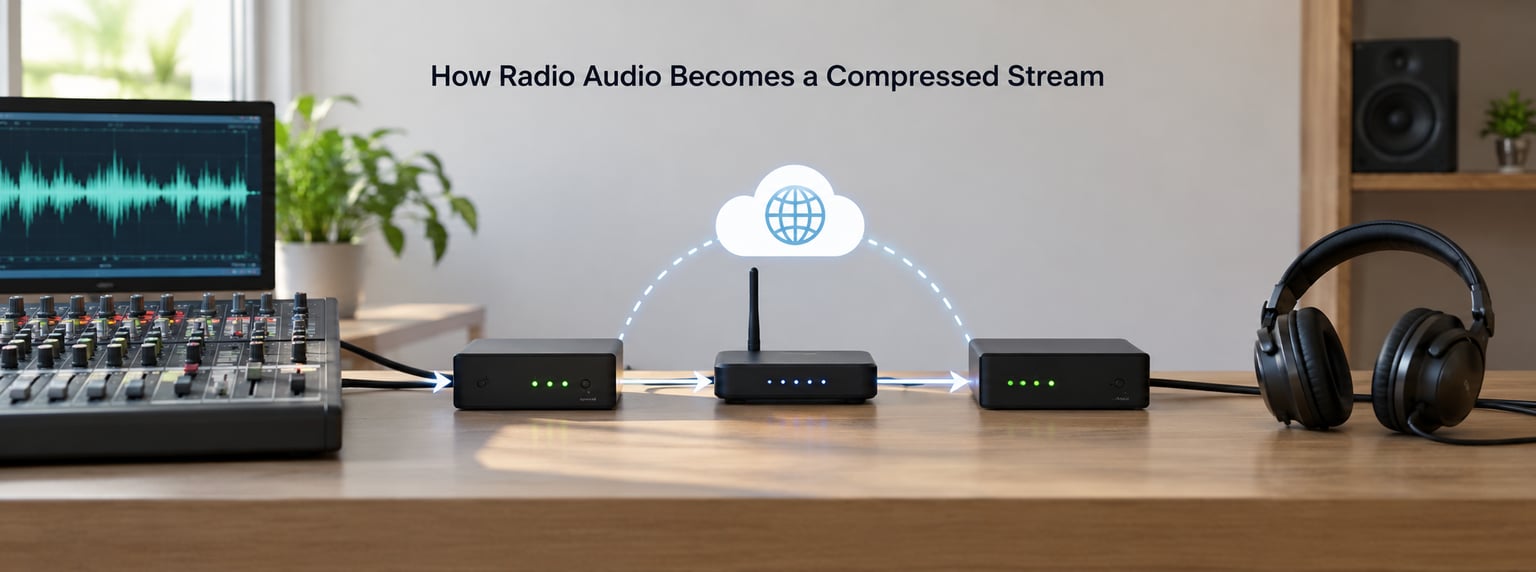
Radio does not carry sound as a continuous stream of audio. It chops it into thousands of tiny pieces, wraps each one with a timestamp and an address, and sends them across the network or the air separately.
The path is the same whether the broadcast is FM, DAB + or an internet station:
- Source. A studio master, usually mixed for broadcast, enters the station’s playout system.
- Processing. Studio dynamics and a broadcast processor adjust level, then a codec encodes the result.
- Encoding. The encoder analyses the audio in small windows and writes compressed packets, usually at a fixed bitrate.
- Transmission. On internet radio those packets go out over a web connection. On FM they go through a modulator and a transmitter. On DAB+ they go through a different codec on a different system.
- Buffering. Your player collects packets in a small buffer and plays them in order. Weak signal or a slow connection means the buffer empties, and you get a dropout or stutter instead of an artefact.
- Decoding and playback. The decoder reconstructs an approximation of the original and your speakers turn it into sound.
That last step is the important one. You are listening to a reconstruction, not the studio master. The decoder is doing its best with information that was thrown away upstream, and no amount of cleverness downstream brings discarded detail back.
Digital broadcasting adds a wrinkle. FM is an analogue system, so the audio reaching the receiver is a continuous waveform rather than decoded data, and anything lost upstream is simply lost. DAB+ and HD Radio decode a digital stream, so listener hardware can occasionally make a bad stream sound worse than it really is.
Lossy and Lossless Compression: What Changes?
Lossy compression throws information away on purpose. It aims for a result most listeners accept rather than a copy of the original, and its whole value is that a 128 kbps MP3 needs a fraction of the data of a CD-quality track.
Lossless compression keeps every sample intact. It reclaims unused space and reorganises the data without losing anything, so a decoded FLAC file is bit-identical to what went in. The trade-off is file size, and radio stations rarely have the bandwidth to bother.
Internet radio lives almost entirely in lossy territory. MP3 is still common because decoders are cheap and universal, AAC is more efficient and is the default on most phones and streaming apps, and Ogg Vorbis appears on open-source players.
Low-energy versions of AAC are worth knowing about. HE-AAC extends a low-bitrate core upward, which is efficient but has its own audible signature on cymbals and strings. Some DAB+ and mobile streams use it.
Higher-quality audio does exist on radio, but as a separate channel rather than a better version of the same one. HD Radio sub-channels and some DAB+ services carry an unprocessed or lightly processed feed that audiophiles seek out, and that is the closest thing most listeners will get to a direct feed of the studio mix.
What Audio Compression Removes and Why
Codecs lean on a simple idea: the ear is good at noticing some things and bad at noticing others. Anything masked by a louder sound nearby is a candidate for removal, which is why a cymbal wash behind a loud snare can lose its edges while the snare itself survives intact.
In practice, what you lose first at low bitrates:
- High-frequency detail. Cymbals, hi-hats, sibilance in vocals and the air around a guitar thin out into something closer to hiss.
- Low-level passages. A soft intro or an ambient section needs the fewest bits, so it gets the harshest treatment. This is why the start of a track is often where artefacts are most obvious.
- Sharp transients. A drum hit depends on a very fast rise. Codecs soften that rise, which is what listeners describe as a lack of punch.
- Stereo image. Low bitrates struggle with channels that differ slightly. A wide, airy master can arrive narrower and flatter than it was mixed.
- Bass definition. Not the bass level, which mostly survives, but the texture around it. Rumble and detail blur together.
None of this is a switch between good and bad. It is a sliding scale, and the codec is always making a trade against the bandwidth it has been given.
Bitrate, Sample Rate, and Channel Count
Three settings decide how much space a stream uses and what survives the trip. Bitrate is the most important, sample rate matters less to most listeners than the marketing implies, and channel count can be a genuine win for talk radio.
| Setting | What it changes | Effect on radio sound | Compatibility |
|---|---|---|---|
| Bitrate (kbps) | Data used per second of audio | The single biggest quality lever. Higher preserves detail, transients and stereo width | Any player; most stations offer a choice |
| Sample rate (kHz) | How many times per second the waveform is measured | Mostly affects brightness above what most people can hear; rarely the deciding factor | Requires a matching decoder in the player |
| Bit depth | How many steps describe each sample | Headroom for quiet detail; rarely the visible failure point in internet radio | Usually fixed inside the codec |
| Channels | Stereo versus mono | Mono halves the data and often sounds cleaner on a small speaker; stereo spends bits on separation few listeners notice | Mono plays everywhere; stereo needs a stereo chain |
Sample rate is worth demystifying. Going from 44.1 kHz to 48 kHz does not automatically make a radio stream sound better, because most encoders discard or approximate the added band regardless, and the real limit is the bitrate.
One more distinction matters. These settings describe the stream, while a station’s processing chain describes what happened to the audio before encoding. A station can deliver a generous 320 kbps stream of material that was already crushed by a processor, and no bitrate will bring the dynamics back.
Why Quiet Music Can Sound Worse After Compression
Quiet music is where compression stops being invisible. A loud track gives the encoder plenty to work with, and masking hides the losses. A quiet, sparse, heavily reverberant recording gives it very little, and every removed detail becomes a hole the noise floor fills.
Several things stack up. Volume normalisation turns a quiet recording up, which drags its noise floor up with it and makes any hiss or rumble in the source obvious. Low bitrate coding then has to encode that raised noise floor, so it spends its budget on hiss instead of instruments. Aggressive station processing adds pumping on top, because the level is being constantly corrected upward.
Classical, jazz and spoken-word formats are the usual examples. Long sustained strings, soft synth pads and a voice sitting well below the mix all give a lossy encoder a difficult job, and they are the first formats to sound rough at a low bitrate.
Listeners describe the result in consistent terms: a quiet track that sounds noisy, flat and uneven, and that improves noticeably when played at a higher stream quality or on a system with more headroom.
How to Recognize Compression Artifacts by Ear
You do not need golden ears or expensive gear. You mostly need a quiet room, a familiar track and matched volume, because volume differences fool people more than compression does.
Listen for these specific things:
- Pre-echo. A faint ghost of the next drum hit appearing before the beat, most obvious on sparse material.
- Cymbal wash. A sizzle that sounds like a blanket has been pulled over the top of the track.
- Sibilance. Sibilance in vocals that is either smeared or excessively sharp rather than sitting naturally.
- Pumping. The whole mix breathing in and out, obvious on steady, sustained passages such as a held vocal note.
- Flat bass. Bass that is present in level but vague in texture, where kick and bassline blur into one weight.
- Collapsed stereo image. A track that should feel wide sounding narrow, or instruments that all seem to sit in the same spot.
Keep the A/B test honest. Match the two sources to the same perceived loudness, because louder always sounds better and that is the bias that ruins most comparisons. Avoid the test entirely if you are tired, since fatigue makes everything sound worse.
One warning: a poor connection can imitate artefacts perfectly. Stutter, clicks and repeated micro-gaps are transmission failures, not compression, and no amount of streaming quality will fix them.
How to Choose a Better Radio Stream
Most players offer a stream quality setting, and most people never touch it. That setting is the bitrate, and the default is often a conservative option rather than the best one the station offers.
Practical choices that genuinely improve what you hear:
- Select the highest available bitrate your connection can sustain without buffering. Doubling bitrate helps far more than any other single change.
- Prefer AAC where the station offers it, since it generally needs fewer bits for similar quality.
- Use a stable connection. Wi-Fi that drops out will undo a quality setting in seconds.
- Use a player you trust. Browser tabs compete for bandwidth and background tabs get throttled. A dedicated app or player is steadier.
- Avoid repeated re-encoding. Every generation of lossy coding removes a little more, so a stream captured from one stream and re-encoded loses detail twice.
Do not expect miracles. Moving from a low bitrate to a high one removes the most obvious faults, but it will not restore detail a station never encoded in the first place, and it will not undo broadcast processing applied before the encoder.
What Compression Does Not Explain
Some common complaints have nothing to do with coding, and blaming the codec sends you looking in the wrong place.
Loudness processing. A station that makes adverts jump out of the music is using dynamics processing, not data compression. This is deliberate, and it is what listeners on broadcasting forums describe when they ask how stations achieve their signature sound.
FM pre-emphasis and clipping. FM boosts high frequencies before transmission and the receiver corrects for it, and aggressive settings can produce distortion in the treble that sounds like a bad encode. Composite clipping in the stereo signal path does the same thing.
Low bitrate with a different cause. A station encoding a 56 kbps feed will sound rough, but so will a good stream played on a phone speaker that cannot reproduce anything below a few hundred hertz.
The network. Buffering, dropouts and a phone switching between Wi-Fi and mobile data all sound like damage, and none of it is compression.
Your speakers and hearing. Small drivers, earbuds, a car’s road noise and plain hearing loss between 8 kHz and 14 kHz will remove treble detail that was never compressed away. This is why the same station sounds different in the kitchen and in the car.
Frequently Asked Questions
Does MP3 compression make radio music sound bad?
No on its own, and it depends on the bitrate rather than the label. A 320 kbps MP3 is transparent for most listeners on most material, while a 128 kbps MP3 shows clearly on cymbals, quiet passages and stereo width. The damage a listener hears is often the sum of encoding plus already-processed broadcast material, so raising bitrate helps the first part and not the second.
Is a higher radio bitrate always better?
Higher bitrate preserves more detail at every setting, so in theory it is always better. In practice it only helps if the connection can sustain it, because a stream that stutters is far worse than a lower bitrate that plays cleanly. If your buffer is running dry, step down a level until playback is solid, then step back up if you have headroom to spare.
Why does a quiet internet radio station sound noisy?
Quiet material gives a lossy encoder almost nothing to work with, so it spends its budget on whatever is there, usually a raised noise floor. Volume normalisation makes this worse by turning the whole track up and dragging hiss and rumble with it. Sparse classical, ambient and spoken-word formats suffer most, and they usually improve at a higher stream setting or on a system with more headroom.
Does stereo mode always provide better radio sound?
No. Stereo doubles the data cost, and at a fixed bitrate those extra bits often buy detail rather than width. On small speakers a mono stream is frequently cleaner, since it avoids coding two similar channels with too few bits. Stereo matters most for wide, reverberant material played on decent speakers in a quiet room, and hardly at all for speech.
Can I remove compression artefacts from a stream?
Not from the audio itself, because the information was discarded before it reached you. De-noise and EQ tools can reduce the audible symptoms, such as a raised noise floor or harsh sibilance, but they cannot rebuild detail that was never encoded. The only real fix is a better source: a higher bitrate, a lightly processed feed, or the original recording.
If you change one thing this week, open your radio player’s quality setting and switch it to the highest bitrate that plays without stuttering. Everything else on this page is detail, and that one click is where the improvement actually shows up.
After that, listen with a little more suspicion. When a track sounds flat, ask whether the station processed it heavily or whether your stream is thin, because the fix is completely different in each case.