You can listen to radio stations from other countries by playing their official web streams, opening them in a radio directory app, or casting them to a smart speaker. Most stations broadcast their live feed online for free, so the whole job is finding the right source and giving it a player that holds the connection. Give it about ten minutes the first time, and the station stays saved in your favourites afterwards.
The tricky part is not the technology, it is knowing which link is the real one. Search results are full of lookalike directories that die halfway through a song, and a lot of stations that used to stream freely have quietly moved behind a subscription. A bit of care up front saves a lot of dead ends.
Table of Contents
What You Need
Here is the short list. Most people already own every item on it.
- A device with internet access. A phone, tablet, laptop or desktop works. A desktop browser is the most forgiving option for a station that blocks mobile connections.
- A steady connection. Most streams run at 64 to 320 kbps, which is a fraction of what a video call needs. Home Wi-Fi is best; mobile data works fine if your signal is solid.
- Somewhere to listen. Wired earbuds or headphones give the cleanest result. A small speaker or smart speaker fills a room better than a phone does.
- A player. That can be the station’s own web player in a browser, a dedicated radio directory app, or a desktop media player such as VLC.
- The station’s official stream URL. Worth finding early, because it is the fallback that keeps working when an app changes direction.
- A VPN, in narrow circumstances. Only for broadcasters that publish a territorial restriction and allow access from your region. More on that in step 5.
One thing to get straight before you start: a VPN changes the location your traffic appears to come from. It does not grant a license to a broadcast, and it does not make an unlicensed or unauthorised stream legal. Use only streams the broadcaster publishes for public listening.
Step-by-Step
1. Find the Station’s Official Stream
Start with the broadcaster, not a search result. Search for the station’s name plus its home city or country, and look for a domain that matches the broadcaster’s brand or its parent company.
On the official site, look for a Listen Live button, a player embedded in the page, or a link marked Stream, Web player or Listen on our app. That link is the one to bookmark. Many sites also list a raw stream address under a technical section for players and smart speakers.
A few things to check while you are there:
- Territory notes. Some public broadcasters limit their live stream to their own country and say so in a line most people skip past. BBC and ABC style services are the usual examples.
- Subscription terms. A station may offer a free live feed, or a free feed with adverts, or put everything behind an account. The site’s own terms tell you which.
- Schedule times. Check what timezone the programme guide uses. A morning show in Berlin is not a morning show in Chicago, and that is a common source of confusion.
Watch out for clone sites. They copy station branding, promise a free stream that never loads, and push you toward a download. A genuine broadcaster site lists a company name, a contact address and a privacy policy.
2. Open the Stream in a Media Player
Once you have the stream, play it in a browser. Chrome, Edge, Firefox and Safari all handle standard shoutcast and Icecast feeds without any extra software, and most modern stations use HLS, which behaves the same way.
Click the play control, allow a few seconds for the connection to establish, and check that the volume is on the device rather than muted in the player. If you hear nothing, try a tab that is playing background audio silently; some browsers throttle audio in tabs you are not looking at.
Confirm you are hearing live audio. A now-playing title that updates every track, a live request line, or a clock that matches the station’s local time all tell you the feed is live rather than a repeating playlist.
Desktop players like VLC take this further. Open Media, then Open Network Stream, paste the address, and play. The advantage is a manual buffer and an equaliser, both of which help on a weak connection.
3. Use a Radio App
A radio directory app does the searching for you. These are the ones worth installing right now, and the store names are current as of 2026.
- TuneIn Radio (iOS, Android, web, smart speakers, cars). The biggest catalogue of familiar commercial and talk stations, with local FM and AM simulcasts in many countries. Plenty of stations carry adverts.
- Radio Garden (web, iOS, Android). A spinning globe you drag to a country, then a city, then a list of stations that are actually transmitting right now. The balloon ride button throws you somewhere random when you want a surprise.
- RadioLy (web, iOS, Android). A large directory that sorts by country, genre and language, with trending stations at the top. No account needed to listen.
- Broadcasts (iOS). A clean, ad-light interface with a favourites list, popular for people who want the bare minimum.
- RadioDroid (Android). Records streams to a file and keeps stations in a list you control, which suits anyone who wants a show to catch up on later.
On any of them the path is the same: open the search field, type the station or the country, pick the result with the country and city in its subtitle, then tap play. Tap the heart or bookmark icon to save it. In settings, look for a quality or bitrate option and set it to the highest level that plays without stuttering; the top setting often refers to a stream the station does not actually publish.
Lock the screen and the audio usually keeps going, though both iOS and Android can stop background playback if you revoke the app’s microphone or motion permission.
4. Listen on a Smart Speaker
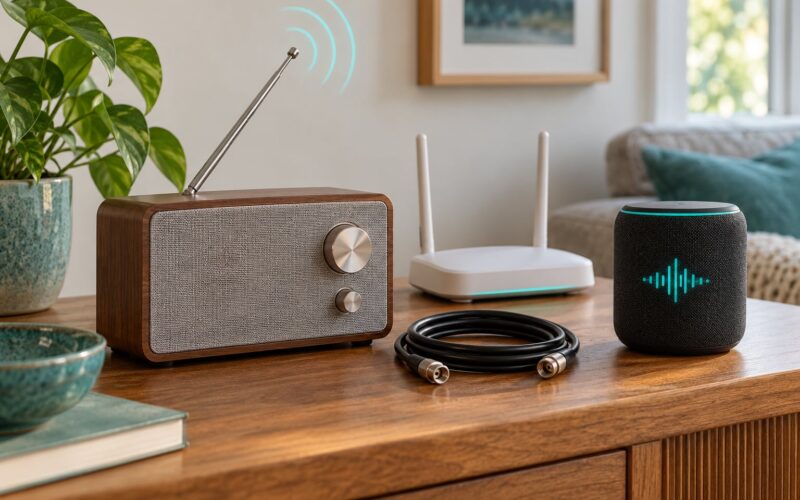
Smart speakers are the easiest way to fill a kitchen, and most of the time it comes down to asking for the station by name and country. “Play BBC Radio 4 on Alexa” or “Play Radio Paradise on Google Home” works for any station the service already carries in its directory.
The limit is that a speaker can only play what its directory knows about. If the station you want is not there, three workarounds do the job:
- Use the broadcaster’s own skill. Several national public services ship an Alexa skill or Google action. Link your account in the Alexa or Google Home app under Skills or Services and the station appears in voice search.
- AirPlay or Chromecast. Cast from the station’s app or web player to a speaker or a connected display. The cast target has to support audio, and the two ecosystems do not talk to each other, so pick the one matching what you own.
- Bluetooth. Pair the speaker to your phone and play the stream from the browser. Higher latency, and the audio drops if you walk out of range, but it always works.
5. Use a VPN When a Stream Is Geo-Restricted
Some broadcasters publish their live stream only inside their own country. The site says so, the app shows a not available in your region message, and there is no other way in. A VPN is the only tool that changes the address your request comes from, and it should be a considered step rather than the first thing you reach for.
Before paying for anything, check three things. Try the station’s own app first, since the app sometimes serves an international feed that the website does not. Look for an international edition of the service, because many public broadcasters run a separate global feed for expats. And check whether the broadcaster sells a paid overseas package, which is the clean route when one exists.
If you still need a VPN, the setup is short. Pick a reputable paid service with a clear no-logging policy; free VPNs often earn their money by injecting ads into streams. Install the official app from the provider’s own site, connect to a server in a country the broadcaster allows, then open the station’s normal stream. Test a few servers if one is slow, and disconnect when you are finished.
Two boundaries worth keeping. A VPN does not unlock content you have not paid for, and it does not make it legal to record or rebroadcast a stream you have no right to. Regional licensing exists for a reason, and the honest use of this tool is reaching a service that already permits access from where you are.
6. Test and Save the Best Setup
Run the same station through two or three methods before you commit. The web player is the baseline. The app is usually the most convenient on a phone. The speaker is the one you will actually use while cooking. Listen to each for five minutes on your normal network and note which holds the connection, which has the cleaner sound and which lets you pause and come back.
If you have never done it before, how to listen to radio stations from other countries comes down to those same three routes plus a saved stream link. Pick the one that survived the test.
Then make the winner permanent. Save the station in the app’s favourites, add it to your home screen, and if you use a browser, pin the tab or add the stream address to your bookmarks bar. On a phone, most radio apps support CarPlay or Android Auto over Bluetooth, which is worth checking before a long drive, and iOS and Android both support a sleep timer in their clock apps if you plan to fall asleep to a station.
What you do not do is re-search the station from scratch every session. Finding it once, properly, is the entire job.
Common Mistakes
Buffering every few seconds. Almost always bandwidth or the bitrate setting. Drop the quality one step, switch from mobile data to Wi-Fi, or close other streams running on the same network. If it buffers on Wi-Fi too, the station’s own server is struggling, usually during a live show. There is no fix on your end; try again in fifteen minutes.
Silence with no error message. Check the device volume first, then the player. Browsers mute background tabs, so bring the tab forward. On iOS and Android, a silent switch or a missed Bluetooth handoff causes this more often than anything else, and disconnecting Bluetooth restores the phone speaker.
The station played for a minute and stopped. Stream addresses change more often than people expect. Go back to the broadcaster’s site and pick up the current link rather than a saved copy. If a directory app lists a station with no play button, it has stopped transmitting.
It plays but sounds thin or crackly. The feed is at a low bitrate or the codec is being resampled by your player. A desktop player with its own decoder handles these better than a small browser tab. Streaming the same station over Bluetooth adds a second layer of compression, which is why wired earbuds sound noticeably better on a poor feed.
The phone gets hot and the battery drains. A live stream keeps the network and audio chip active, and so does a VPN running underneath it. Close the player fully when you stop listening rather than leaving it in the background, and turn the VPN off when the station is not being used.
You are hearing a show you expected to be live. Check the programme timezone and check whether the station has switched to a prerecorded edition for your part of the day. Many services rotate a catch-up version outside their home region.
Ads or a host talking over the intro. Some directories sell ad-free listening as a paid tier. If the adverts bother you, the broadcaster’s own player is usually the version with fewer interruptions, and some stations run a separate music-only feed listed in their technical details.
Tips for a Better International Radio Experience
Collect streams, not stations. Keep a note of the direct stream address for anything you listen to regularly. Apps come and go, playlists get reset, and a raw link works in almost any player for years.
Group by country. A handful of folders for the places you actually listen to makes browsing a directory far faster than searching a name each time. It also makes it obvious which stations you have already tried.
Mind your data. A 128 kbps stream uses roughly one megabyte a minute, so an hour on mobile data costs about 60 megabytes. Most unlimited plans make this a non-issue, but anyone on a capped roaming plan should switch to a lower quality setting or use Wi-Fi.
Use a wired connection when you can. A laptop on Ethernet or a phone on Wi-Fi will hold a low-bitrate stream that stutters constantly over a weak mobile signal.
Record only when it is allowed. Some stations and public broadcasters publish show archives or a podcast feed for the same content, which is the version to use. Recording a live stream that forbids it can breach the broadcaster’s terms and, in some places, copyright law.
Check the local rules. If you plan to run a stream for a community group, a venue or a bar, ask the broadcaster for the commercial licence rather than assuming a personal listen covers it.
Frequently Asked Questions
Do I need a VPN to listen to international radio stations?
Usually not. Thousands of stations publish a free live stream open worldwide, and directories like Radio Garden or RadioLy will find them without any extra software. A VPN only matters when a broadcaster limits its stream to its home country. Check the station’s own app and look for an international edition first, since many public services run a separate overseas feed. If you do use a VPN, a reputable paid one is safer than a free service, and it still does not grant rights to content you have not paid for.
Why does a radio station say it is not available in my country?
Because the broadcaster holds a regional licence that covers its own territory only. Public service broadcasters are the usual example, and they enforce it in the app and on the website rather than through any technical block. Sometimes the restriction is simply a soft message and the international feed lives on a different page or app. Read the station’s terms and look for a global or expat version, and if there is one, use it. Circumventing a hard block without permission is not something we can help with.
Can I listen to overseas radio on my phone for free?
Yes. TuneIn Radio, Radio Garden and RadioLy all have free tiers on iOS and Android with no account needed to start listening. What varies is the interruption: some directories sell adverts between stations or move favourites behind a subscription, while the broadcaster’s own app is often the cleanest free option. A station that only offers on-demand shows will need a paid account, but the live feed is frequently free. Download the app over Wi-Fi before a trip so it is ready when you land.
How much mobile data does streaming radio use?
A 128 kbps stream uses roughly one megabyte per minute, so a full hour sits around 60 megabytes. Higher quality settings climb to about 15 megabytes an hour more. That is small next to video, but it adds up on a capped roaming plan. If you listen for long stretches on mobile data, set the app’s quality to medium rather than high and check the station’s low bitrate stream, which sounds nearly identical on a phone speaker.
Can I record an international radio show to listen to later?
It depends entirely on the broadcaster. Some public services publish a podcast or archive of the same show, and that is the right way to catch up. Others allow personal recording for time shifting but forbid redistribution. Apps such as RadioDroid on Android can capture a stream, while some services block recording outright or cut the connection when they detect it. Before you record, read the station’s terms. Sharing a recorded broadcast is a different matter from keeping one for yourself, and it usually needs a licence.
Conclusion
Start at the broadcaster’s own website and find the official live stream. Play it in the browser to confirm it works, then move it into whichever of the three paths suits you: a radio directory app for discovery, the station’s own app for a clean feed, or a smart speaker for hands-free listening. Save the direct stream address so you never have to search again, and reach for a VPN only when a broadcaster states a territorial restriction, an overseas edition does not exist, and the terms permit it. Everything else is preference, and preference is easy to change once you know where the switch is.