Most internet radio stations stream between 64 and 128 kbps, with 128 kbps MP3 and 128 kbps AAC being the most common settings you will meet. A smaller group runs at 192 or 320 kbps, and only a handful offer lossless. So the honest answer to what bitrate internet radio streams use is a range, not a single number.
That range exists because every station picks its own encoder settings, and they do it for different reasons. Some are protecting a cellular budget, some are feeding a smart speaker that only speaks MP3, and some simply have a bigger bill to pay each month. The result is a patchwork of stream qualities across the station directory, which is exactly why the same station can sound crisp on one device and thin on another.
This guide covers the bitrates stations actually use, the codecs they use with them, what each tier costs you in mobile data, and how to check the real figure for any station you like. Last updated October 2026.
Table of Contents
- What Bitrate Internet Radio Streams Use
- Common Internet Radio Bitrates and Codecs
- How Bitrate Affects Sound Quality and Data Use
- Which Bitrate Is Best for Internet Radio Listening?
- How to Check a Radio Stream’s Bitrate
- Does a Higher Radio Bitrate Always Sound Better?
- Frequently Asked Questions
- What is the most common bitrate for internet radio?
- Is 320 kbps internet radio the best quality?
- Is 128 kbps good enough for internet radio?
- Why does the same radio station have different stream bitrates?
- How much data does one hour of internet radio use?
- Can internet radio lossless streams exist, and which stations have them?
- Conclusion
What Bitrate Internet Radio Streams Use
A bitrate is how many kilobits of compressed audio data a stream sends every second, written as kbps. A 128 kbps stream pushes roughly 128,000 bits per second, which works out to about 450 megabytes an hour of listening. More bits per second means more of the original recording survives compression.
One small trap catches a lot of listeners here: kbps is kilobits, kilobytes is kB. Eight bits make a byte, so a 128 kbps stream moves about 16 kB per second. Every data figure on this page is calculated in bits and then converted for you.
Streams also come in three rate modes. CBR, constant bitrate, sends the same number of bits every second and is what nearly every radio station uses because it is predictable and cheap to deliver. VBR, variable bitrate, spends more bits on complex passages and fewer on quiet ones, which suits music files better than live streams. ABR, adaptive bitrate, is what your streaming apps use when they switch quality on the fly as your connection changes.
Where stations get their bitrate from
The station, not the listener or the app, sets the number. Someone at the broadcaster chooses a codec and a target bitrate, the encoder runs continuously, and the output is handed to a streaming server that relays it to your player. The player then does whatever it can with what it receives.
That last step matters more than people expect. A network player may be pointed at a regional mirror rather than the main feed, and some apps quietly transcode to a format the device can decode. The stream could be excellent and your player still hand you 96 kbps.
Common Internet Radio Bitrates and Codecs
Here is the working set of tiers you will find in any station directory, along with the codec usually paired with each one.
| Bitrate | Typical codec | Who uses it | What you hear |
|---|---|---|---|
| 32 to 64 kbps | AAC-LC, HE-AAC, Opus | Talk radio, some small independents, satellite radio | Clearly compressed, thin on cymbals and hiss on fades |
| 96 kbps | MP3, AAC-LC, Opus | Budget streams and mobile-oriented feeds | Fine for speech, soft and dull on busy music |
| 128 kbps | MP3, AAC-LC, Opus | The radio industry default for music stations | Close to broadcast FM, good on ordinary speakers |
| 160 to 192 kbps | AAC-LC, MP3, Opus | Stations that have upgraded or target hi-fi chains | Noticeably cleaner transients and vocals |
| 256 to 320 kbps | MP3, AAC-LC | A small number of quality-focused and classical stations | Beyond most people’s ability to hear on the system in use |
| 700 to 1000 kbps | FLAC, ALAC | Rare; community and specialist stations | Lossless, comparable to a CD feed |
The codec sitting next to the number changes how much quality you get from it. These are the formats stations actually put on the wire.
| Codec | Typical radio bitrate | Device support | Efficiency note |
|---|---|---|---|
| MP3 | 128 to 320 kbps | Universal: cars, speakers, browsers, old phones | The safe default; decodes literally everywhere |
| AAC-LC | 64 to 256 kbps | Very wide, built into most modern hardware | About as efficient as MP3, sometimes slightly better |
| HE-AAC (AAC+ v1) | 32 to 64 kbps | Broad but not universal in older car stereos | Very efficient at low rates, uses spectral band replication |
| HE-AAC v2 | 32 to 48 kbps | Narrower, common on mobile apps | Adds parametric stereo; only sensible at low bitrates |
| Ogg Opus | 32 to 128 kbps | Good in browsers and Android, patchy elsewhere | Best quality per bit below 96 kbps |
| Ogg Vorbis | 64 to 192 kbps | Limited outside open-source players | Historically ahead of its time, now rarely chosen |
| FLAC | 700 to 1000 kbps | Limited; needs a player that handles it | Lossless, roughly three times the data of 320 kbps |
The headline equivalence rule worth remembering: 64 kbps AAC is roughly equivalent to 128 kbps MP3. That single fact answers most of the codec-versus-number arguments you will read in forums.
How Bitrate Affects Sound Quality and Data Use
Higher bitrate preserves more detail, and the data cost scales directly with it. Nothing is compressed or lost beyond what the encoder decides, so doubling the bitrate roughly doubles the data.
| Bitrate | Data per hour | Data per 24 hours | Typical hourly mobile data use |
|---|---|---|---|
| 64 kbps | about 28 MB | about 0.7 GB | Negligible on most monthly plans |
| 96 kbps | about 42 MB | about 1 GB | Still light |
| 128 kbps | about 56 MB | about 1.35 GB | Roughly a quarter of a video hour |
| 160 kbps | about 70 MB | about 1.7 GB | Worth checking on a capped plan |
| 192 kbps | about 84 MB | about 2 GB | Half your daily allowance in four hours |
| 256 kbps | about 112 MB | about 2.7 GB | Only sensible on unlimited data |
| 320 kbps | about 141 MB | about 3.4 GB | Comparable to SD video streaming |
| FLAC around 900 kbps | about 400 MB | about 9.6 GB | Home Wi-Fi territory only |
Two hours of a 128 kbps stream is a little over 110 MB. Two hours of a 320 kbps stream is around 280 MB. That gap is why plenty of people on phone data stay at the middle tier rather than chasing the top one.
The quality difference is real but front-loaded. Going from 64 to 128 kbps is a clear improvement. Going from 192 to 320 kbps usually is not, particularly through a pair of earbuds, a kitchen speaker or a Bluetooth connection that has already thrown away detail.
Which Bitrate Is Best for Internet Radio Listening?
There is no single best bitrate, because the right answer depends on where the audio is going and what you are paying for it. Match the tier to the device and the connection.
On mobile data
Stay at 128 kbps or drop to 96 kbps if your plan is capped. At roughly 56 MB an hour you can listen all day for the price of a couple of short videos, and you will not hear the difference on a phone speaker.
On home Wi-Fi
Pick the highest stream the station offers. Bandwidth is effectively free, and the only limit is your hardware. If your speakers are small, 128 kbps already exhausts what they can reproduce.
Through Bluetooth
Bluetooth re-encodes your audio before it reaches the speaker, usually down to a low-bitrate SBC or AAC profile. Above about 128 kbps the extra bits are discarded before you hear them, so a 320 kbps station through a Bluetooth speaker is close to a 96 kbps station through the same speaker.
In the car
Stick with MP3 if your head unit is more than a few years old. MP3 decodes everywhere without a codec pack, and a stream that refuses to play in your own car is worth nothing.
On a hi-fi chain
Use the highest MP3 or AAC stream the station serves, and skip the lossless feeds unless you are genuinely listening for the difference. On a good DAC into decent speakers, 192 to 320 kbps is where improvements stop being obvious.
On older or limited devices
Smart speakers and basic internet radios often only handle MP3. A 96 kbps MP3 stream that plays reliably will beat a 320 kbps AAC stream that stutters every few minutes.
How to Check a Radio Stream’s Bitrate
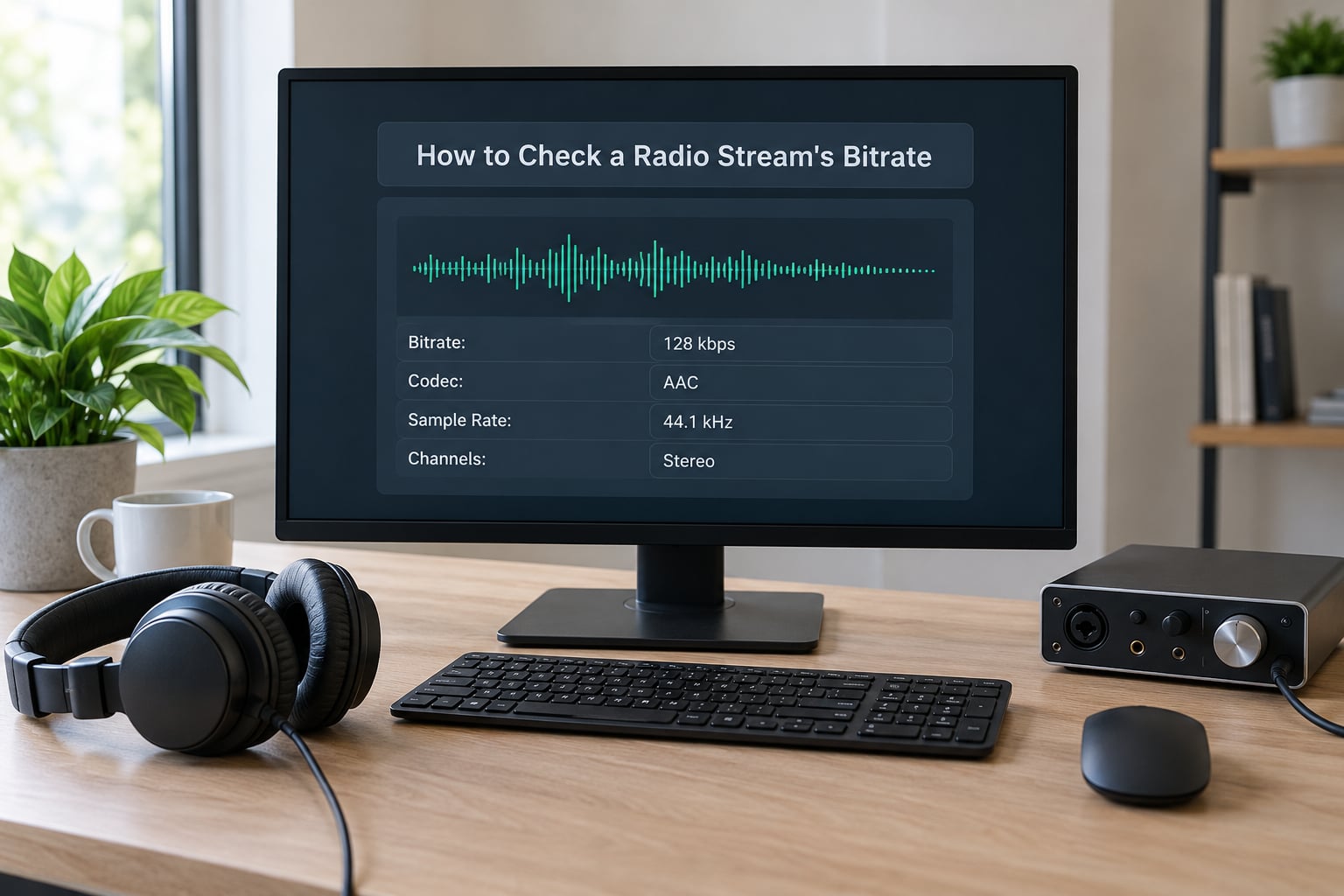
The most reliable method is to inspect the stream while it is playing, because station listings often go stale and directories show the intended quality rather than the delivered one.
Check it in VLC
Open VLC, play the station, then open Tools and Codec Information. The statistics panel shows the codec, the audio sample rate, and the bitrate of the stream currently feeding your speakers. Compare the figure against the tier table above and you know exactly what you are listening to.
Find the stream URL first
If you are using a web player, the stream URL is usually visible in the browser’s network activity. Open the developer tools, switch to the Network panel, start playback, and filter by media requests. The address ending in .mp3, .aac or .m3u8 is the live feed. Paste it into any player that accepts raw URLs and inspect it there.
Use the station directory listings
Directories such as Radio Browser list a codec and bitrate for most stations. These are contributed by listeners and operators, so they are a good starting point but worth confirming if the answer matters to you.
Look inside your player app
Most apps have a now-playing or quality menu that names the stream in use. Audirvana, for example, exposes technical details on the current stream, and a user on the Audirvana community forum reported a Naim NDX2 pulling a 128 kb/s MP3 feed from a station broadcasting AAC-LC at 320 kbps. That gap is a player-side mirror choice, not a station downgrade.
Read ICY metadata too. Older Shoutcast and Icecast servers broadcast stream title and bitrate in a text block alongside the audio, which some players surface directly and others hide.
Does a Higher Radio Bitrate Always Sound Better?
No. Bitrate is one variable among several, and it is rarely the one doing the damage.
The source chain matters first
A station encoding a properly produced studio feed will sound better at 128 kbps than a station squeezing a noisy live mic feed at 320 kbps. Where the audio came from, and whether it was level-matched and mastered properly, shapes the result more than the bitrate does.
Processing can cost more than compression
Aggressive station processing, heavy limiting and loudness normalisation flatten dynamics before the encoder ever runs. Listeners on audiophile boards make this point repeatedly: a well-encoded 128 kbps stream regularly beats a heavily squashed 320 kbps one.
Your player can be the bottleneck
Mirrors, app-side transcoding and fallback to a lower variant all mean the number you were promised is not the number being decoded. That is the single most common explanation for a station that sounds worse at home than it did in the car.
Wireless links take their own toll
Bluetooth and AirPlay re-encode the stream. So does any cheap network player that outputs to a soundbar over Wi-Fi. Each hop removes audio information that no bitrate setting on the station side can restore.
How it compares with broadcast radio
Internet radio sits between FM and lossless depending on tier, and the comparison is worth making honestly.
| Source | Effective quality | Notes |
|---|---|---|
| FM broadcast | About 96 to 128 kbps equivalent after the receiver’s own noise | Analogue, subject to reception conditions |
| DAB+ | Around 96 kbps but a cleaner encode than MP3 at the same rate | Efficient codec, often the fairest MP3 comparison |
| HD Radio | Roughly 96 to 128 kbps on the digital sub-channels | Listeners on radiodiscussions.com note both sides can sound great or poor depending on the operator |
| Internet radio at 128 kbps | Comparable to good FM reception | No reception quality, but the stream can drop |
| Internet radio at 320 kbps | Beyond FM and DAB+ in headroom | Not obviously so on most systems in real homes |
| Lossless FLAC stream | CD-equivalent, around 900 kbps | Rare, and needs a player and DAC that cope |
Stations also change their settings. A station on the internet-radio.com community forum announced a move from 160 kbps to 192 kbps publicly, which is the operator side of this story: bitrates get upgraded, retuned or capped as capacity and budget change, and the announcement is often the only notice you get.
Frequently Asked Questions
What is the most common bitrate for internet radio?
Most stations stream at 128 kbps, either MP3 or AAC. Around that core sit 64 and 96 kbps feeds for talk and low-bandwidth use, and 192 or 320 kbps feeds at a smaller number of quality-focused stations. Each broadcaster picks its own settings, so there is no single standard.
Is 320 kbps internet radio the best quality?
A 320 kbps MP3 stream is high quality but still lossy, so it is not the ceiling. Lossless FLAC streams reach around 900 kbps, and a clean 128 kbps AAC feed often sounds better in practice than a poorly processed 320 kbps MP3 one. On ordinary speakers the gap between 192 and 320 kbps is usually hard to hear.
Is 128 kbps good enough for internet radio?
For most listeners, yes. It is the industry default for music radio, lands close to good FM reception, and costs about 56 MB of data an hour. On earbuds, kitchen speakers and in the car you will not hear what you are missing. Only on a proper hi-fi chain does moving above 128 kbps start to pay off.
Why does the same radio station have different stream bitrates?
Stations often publish several feeds for different conditions: a low-data stream for phones, a standard feed for everyday listening and a high-quality one for hifi. Players may switch between them or pick a regional mirror. Check the stream in VLC rather than trusting a directory listing, which is often out of date.
How much data does one hour of internet radio use?
At 128 kbps a station uses roughly 56 MB an hour, about 1.35 GB across 24 hours. A 64 kbps stream is around 28 MB an hour and a 320 kbps stream around 141 MB, roughly 3.4 GB a day. Lossless streams run near 400 MB an hour, so they belong on home broadband rather than a phone.
Can internet radio lossless streams exist, and which stations have them?
They do exist, usually as FLAC or occasionally ALAC streams around 700 to 1000 kbps, but they are rare because they cost roughly three times the bandwidth of a 320 kbps feed and many hardware players cannot decode them. Community stations and specialist classical or jazz channels are where you will find one.
Conclusion
Start at 128 kbps. It is the setting most internet radio stations actually use, it costs about 56 MB an hour, and it lands close to good FM reception.
Move up to 192 or 320 kbps only when you are on home broadband and listening through speakers that can show the difference. Drop to 64 or 96 kbps on capped mobile data or on a device that struggles with anything else.
And if a station sounds worse than you expected, check what is actually reaching your player before blaming the station. A mirror choice inside your app explains more disappointments than any encoder setting.