The quickest way to listen to world music radio is to open a station directory in your browser, pick a city, and press play. No account, no downloads, no special hardware. You can be tuned in inside a minute, and nothing in the process needs technical know-how.
World music radio is live internet audio built around the music of a particular country or region: highlife out of Ghana, cumbia from Colombia, soca from Trinidad, gamelan from Indonesia, rai from Algeria. Some stations are community outfits with a small budget and a devoted local audience, others are public broadcasters or DJ-curated channels. They play continuously rather than in scheduled blocks, so you drop in whenever you like.
Below are four routes, ordered by how much set-up each one asks of you. The first takes almost no effort at all; the last is worth adding once you know what you actually want on air.
Table of Contents
- What You Need to Listen to World Music Radio
- Step-by-Step
- Common Mistakes and How to Fix Them
- Frequently Asked Questions
- Do I need an account to listen to world music radio?
- What is the best app for listening to radio from around the world?
- How much mobile data does listening to world music radio use?
- Why will some stations not play when I travel abroad?
- How are radio stations allowed to play music?
- Can I listen to world music radio without Wi-Fi?
- Conclusion
What You Need to Listen to World Music Radio
You need less than most people expect. Here is the full list of what has to exist before the first song plays.
- A device with internet access. A phone, laptop, tablet, desktop computer, smart speaker or car system all work. Anything made in the last decade is fine.
- A browser, or a free radio app. Every method below runs on software you either already have or can download for nothing.
- Headphones or speakers. A station at 128 kbps sounds thin on laptop speakers, so headphones earn their keep.
- A connection good enough for audio. Roughly 1 MB per minute is enough for a standard-quality stream, so ordinary broadband, 4G or 5G mobile data all cope.
That is genuinely it. There is no subscription, no licence to buy, and no sign-up. Stations pay for their own bandwidth and their own music rights, and the listener pays nothing for either.
If you have never listened before, open a station in your browser first. It costs you a minute, and it tells you whether you want to bother with an app at all.
Step-by-Step
Here is the short version, before the detail.
- Open a radio directory website in your browser.
- Search for a country or city, or browse the world music category.
- Click the station name, then press play.
- Wait three to five seconds while the stream loads.
- Adjust the volume, then save the station to your favourites list.
If sound came out, you are done. The rest of this section covers the other three ways in, and what to do when none of them work.
How to Listen to World Music Radio on a Streaming App
A radio app bundles thousands of stations behind a search box, which makes it the best option if you know roughly what you want to hear before you sit down.
Search for a genre app or an aggregator player, install it from your app store, and open it. There is no account step in the apps worth using: the ones that demand a sign-up before the first play are giving you nothing in exchange. Once the list loads, type a country, a city, or a genre such as afrobeats, cumbia, highlife, norteño or gnaoua into the search field, and the results filter as you type.
Tap a station to start playback. Volume sits inside the app on most of them, so you do not need to reach for your device. The controls are deliberately thin, because a live stream has no track list to skip through.
Two things are worth setting before you listen. First, turn the audio quality down a notch if you are on mobile data: 128 kbps is plenty for music and roughly a third of the data of a 320 kbps stream. Second, save the first three stations you like to the favourites list, because finding them again through search is far more work than the app pretends.
Radio Garden gets recommended constantly in radio communities for a different reason: it needs no app at all and has no station list to scroll through. It uses the same approach as the website method below.
How to Listen to World Music Radio on a Website
A browser is the fastest route to a first listen, because there is nothing to install and nothing to update.
Type the name of a station directory into your search bar and open it. A globe-based directory such as Radio Garden shows a world map you can drag around, and clicking a green dot drops a list of every live station transmitting from that city, which is a faster way to browse than any search box. Other directories filter by genre or country instead, and a page tagged with world music will give you a long list in seconds.
Press the play button beside the station name. The player sits at the bottom of the page, usually as a small bar with a volume slider and a heart icon for favourites.
One snag catches beginners: some browsers block sound until you interact with the page. If you press play and nothing happens, click anywhere on the page once and press play again, or check that the tab is not muted. A second snag is silence from the station’s end, which is a different problem entirely and covered in the fixes below.
You can also paste a stream address straight into any media player that accepts one. Advanced players and the VLC app both take a direct stream URL, which is useful when a station has no directory listing of its own.
How to Listen to World Music Radio on a Smart Speaker
Smart speakers are the tidiest way to listen once you are settled into a room, because the music keeps playing while you cook, clean or work with wet hands.
Open the Alexa, Google Home or Siri app on your phone, link your preferred station directory if the assistant supports one, and play a test station from the app. Once the speaker has a working station, ask it out loud to play a world music station by name, or ask for the genre, and it will search its directory for you.
Some assistants can only find stations that carry a directory of their own, which limits how far the search reaches. If your station is missing, the workaround is to cast the browser page from your phone to the speaker instead of asking the speaker to find it.
Volume and station changes are spoken commands, and it is worth memorising the two or three phrasing variants your speaker actually recognises. Asking for volume up nine times is a poor substitute for one correct sentence. Background playback can be stopped with a sleep timer on most smart speakers, which is useful because a radio stream never ends on its own.
How to Listen to World Music Radio in a Car
Car listening splits into three setups, and they differ a lot in reliability.
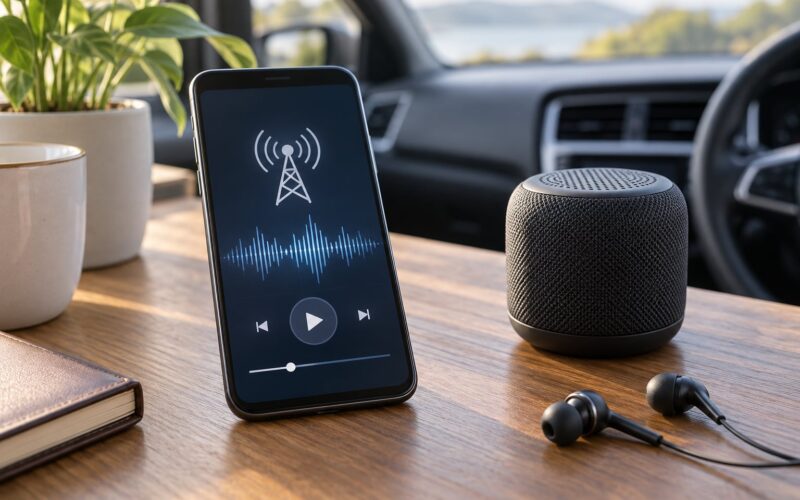
Bluetooth from your phone is the quickest: pair the phone once, start the station in the app, and audio runs through the car speakers. The stream runs off your phone’s mobile data, so it works with no signal of its own, and it will buffer whenever your connection dips. Expect to pay that back in data rather than in reception.
The car app is the cleanest. Android Auto and Apple CarPlay both support radio apps, and the interface is built for glances rather than taps, which suits driving better than a phone on the passenger seat. Check that the app appears in your car’s app list before you set off, because some vehicles only surface a small selection.
An auxiliary cable or a USB connection is the old-fashioned fallback and still the most stable of the three. No Bluetooth pairing to drop, no wireless hand-off to fight.
On satellite and shortwave sets, a world music station may need a frequency lookup, since many international services broadcast on AM, shortwave or DAB+ rather than local FM. The receiver itself needs to be able to reach those bands.
Set the station up while parked, before driving. Changing a streaming app at a red light is a good way to arrive at a silent car with a full phone battery and nothing playing.
Common Mistakes and How to Fix Them
Almost every failed stream comes down to one of six causes. Work down the list in order, because the first two fix the majority of cases.
Nothing plays at all. Click on the page once to give the browser permission to make sound, check the tab is not muted, and confirm the volume is up on both the player and your device. If a station shows a play button that does nothing, the stream itself is offline, which is common at small stations between shows.
Playback starts, then stutters or stops. That is buffering, and it is a connection problem rather than a station problem. Switch to a stronger network, or drop the stream quality inside the app from 320 kbps to 128 kbps and try again. A weak mobile signal is the usual culprit, and the same signal will affect video calls just as badly.
The station works at home and not abroad. Most stations hold music licences for the country they broadcast into, so streams are geo-restricted outside it. Public broadcasters usually do not restrict, which is why international services tend to travel well. A VPN is the obvious workaround, though the licensing terms are worth a look first.
Ads cut into the music. Directory platforms insert their own advertising into streams, and sometimes the station was already ad-free on its own feed. Playing the station’s own stream or a different directory avoids the interruption entirely. This is the single most common reason people move off a directory and onto a dedicated player.
The link is dead. Station pages rot. Small community stations change domains, switch to a new host or go dark for a while, and the directory listing outlives them. A dead player tells you nothing about the station’s music, so try a similar station in the same city rather than a similar-sounding one somewhere else.
Two stations share one confusing name. Names repeat across countries: Radio Nacional exists in several markets, and a search will hand you whichever index happens to rank first. Check the country, city and language labels on the listing before pressing play, and use those labels as your first filter from then on.
Two smaller items cause friction too. Low bitrate is not a fault but it flattens percussion, so drop the quality setting before you blame a station’s sound. And a huge uncurated station list is not a problem to solve, it is a feature to use: filter by country first, then by genre, and you go from thousands of entries to a shortlist worth hearing.
Frequently Asked Questions
Do I need an account to listen to world music radio?
No. The good directories and radio apps play without a sign-up, and a large number of stations run open streams that need no login at all. If an app asks for an email address before the first play, that is a choice the developer made, not a requirement of internet radio. The apps worth installing let you hit play within seconds of opening them.
What is the best app for listening to radio from around the world?
For breadth without an account, a globe-based directory is hard to beat: you drag the map, click a city and every live station there appears, which makes browsing by place easier than searching. For a single uncurated list in one player, aggregator apps bundle thousands of stations into one search box. Pick a browser directory first and an aggregator app second, and you cover both habits.
How much mobile data does listening to world music radio use?
A standard 128 kbps stream runs at roughly 1 MB per minute, so an hour of continuous listening costs about 60 MB. Dropping the quality setting to 64 kbps roughly halves that, and many stations publish a low-quality stream for exactly this reason. Turning the app quality setting down on mobile data is the single easiest saving, and the difference is subtle on a phone speaker.
Why will some stations not play when I travel abroad?
Stations buy music licences for the territories they broadcast into, so many streams are geo-restricted and return silence outside their country. Public and international broadcasters, including the major shortwave and satellite services, are the least likely to restrict, which is why they are a reliable fallback while travelling. A VPN usually unblocks them, though you should check the station’s own terms first.
How are radio stations allowed to play music?
Stations pay for the right to broadcast music, usually through a collection society or a direct licence with record labels and publishers. That money covers performance and reproduction rights for every track they air. The licence is territorial, which is the whole reason streams stop working at a border. Radio Garden, the directory platforms and the apps themselves distribute streams; the stations pay for the music.
Can I listen to world music radio without Wi-Fi?
Yes, as long as your phone has a mobile data signal. Every stream here is a live internet broadcast, so 4G or 5G is all that matters, with no coverage map or local transmitter involved. Data is the limit rather than reception, and setting the app to a lower bitrate keeps a long listening session inside a typical monthly allowance.
Conclusion
Start in a browser: open a station directory, click a city, press play. That takes a minute and tells you whether world music radio is for you.
If you are listening regularly, install one radio app and save your favourites, then move it to a smart speaker for the kitchen or a car app for the drive. Keep the troubleshooting list nearby, because a silent stream is nearly always buffering, a dead link or a licence border, and all three have a quick fix.