Bluetooth rarely ruins a radio stream. It re-compresses audio a second time, and the result depends on the codec your phone and receiver agree on. With a standard 128 or 192 kbps station, almost every codec keeps the sound intact. With a 320 kbps stream or a hi-res music service, the codec ceiling becomes the limit.
Understanding how bluetooth audio quality affects radio streams starts with one simple rule: only the weaker link decides how good the sound can be. That link is usually the Bluetooth hop, not the station.
Table of Contents
- What Happens Between a Radio Stream and Your Bluetooth Speaker?
- How Bluetooth Audio Quality Affects Radio Streams
- Why the Radio Stream Bitrate Still Matters
- How Pairing, Wi-Fi, and Range Change the Result
- How to Improve Bluetooth Radio Sound Without Changing Equipment
- When Wired or Wi-Fi Listening Sounds Better
- Frequently Asked Questions
- Does Bluetooth reduce the bitrate of an internet radio stream?
- Which Bluetooth codec gives the best radio-streaming sound quality?
- Is Bluetooth good enough for listening to live internet radio?
- How can I tell which Bluetooth codec my phone is using?
- Why does my Bluetooth radio sound worse when I move away from my phone?
- Conclusion
What Happens Between a Radio Stream and Your Bluetooth Speaker?
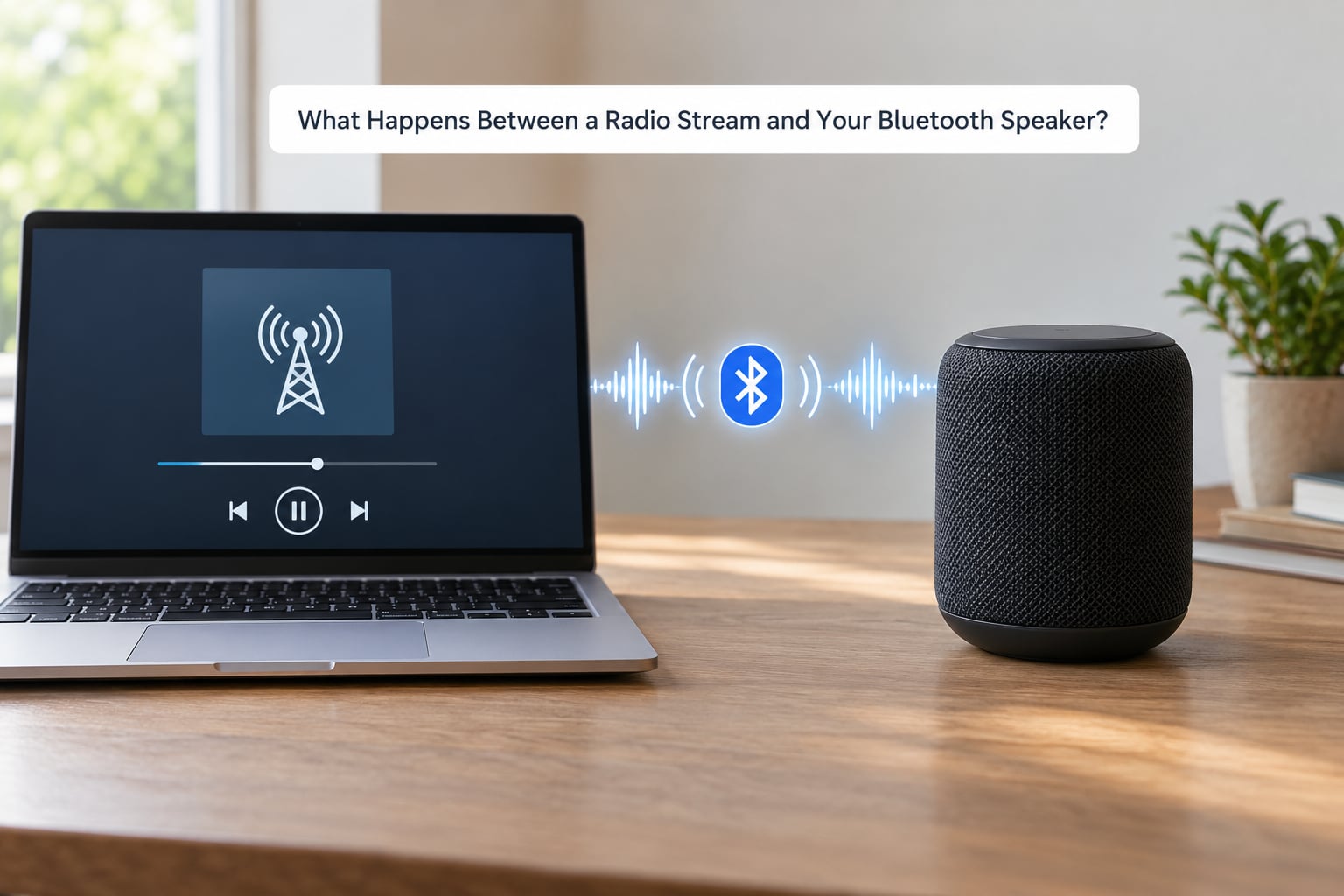
Radio audio changes shape four times before it reaches a Bluetooth speaker. Once a listener understands those four steps, most audio complaints stop being mysterious.
- The station encodes. A radio station compresses its audio, usually to MP3 or AAC, and pushes it to the internet as a stream. A 128 kbps station sends far less data per second than a 320 kbps one, so it starts with less detail.
- The app decodes it. Your phone or computer turns that stream back into PCM audio — the plain, uncompressed signal a sound card can use.
- Bluetooth encodes it again. The phone’s Bluetooth stack runs a codec such as SBC, AAC, aptX or LDAC, compressing the PCM a second time at whatever bitrate that codec allows. Your streaming app’s quality setting has no influence over this step.
- The receiver decodes and plays it. The speaker or receiver reverses the codec, converts the result with its digital-to-analogue converter and drives the drivers.
That third step is the one people forget. A codec is a compression algorithm, and Bluetooth audio codecs are all lossy, meaning they permanently discard data to hit their target bitrate. Lossless hi-res streaming exists on Bluetooth only in the special case of codecs like aptX Lossless or LHDC on devices that implement them, and even then the radio side has to supply something worth sending.
Because the Bluetooth encode happens after the station has already compressed, the quality you hear is set by whichever number is smaller: the station’s bitrate or the codec’s ceiling.
How Bluetooth Audio Quality Affects Radio Streams
Here is the direct answer. Bluetooth audio quality affects radio streams by capping the bitrate of the second compression pass, and it matters most when the station’s bitrate sits close to or above that cap. Below the cap, the codec cannot throw away detail the radio never sent, so Bluetooth audio quality is not the limiting factor.
Codecs negotiate during a short handshake when the two devices connect. Your phone proposes what it supports, the receiver answers, and both settle on the best option they share. Whichever codec wins, it becomes the ceiling for everything that follows.
| Codec | Typical maximum bitrate | Where you meet it | Strengths | Limits |
|---|---|---|---|---|
| SBC | Up to 328 kbps, often capped near 230 kbps | Every Bluetooth audio device; the fallback when nothing better is agreed | Universal, so it never fails to connect | Highest rate can sound thin on weak hardware; least detail retention |
| AAC | Up to 256 kbps | iPhones and iPads, most modern Android phones | Good detail retention and stable latency | Only offered by Apple devices as the sender, so PCs and some Android gear miss out |
| aptX | Around 345 kbps | Android phones with Qualcomm chips, many mid-range speakers and headphones | Consistent, low-latency and widely supported on audio gear | Often judged slightly less detailed than AAC at similar bitrates |
| aptX HD | Roughly 500 kbps and above, 24-bit/96 kHz capable | Flagship Qualcomm phones with matching receivers | Handles hi-res sources without falling apart | Needs both ends; receiver support is still limited |
| aptX Adaptive | Up to roughly 1200 kbps across its streams | Newer Qualcomm phones and recent earbuds | Smoothly shifts bitrate to survive weak signals | Drops quality quietly when congestion rises, which confuses listeners |
| LDAC | Up to about 990 kbps | Sony phones and headphones, some Android flagships | Highest headroom of the common codecs | Falls back to a lower setting in congestion; the top mode is rarely stable indoors |
| LHDC | Up to about 900 kbps | Selected Chinese-brand phones and recent earbuds | Hi-res capable with good latency | Smaller device base than aptX or LDAC |
| LC3 | Up to about 1200 kbps in LE Audio designs | Newer Bluetooth 5.x earbuds and speakers | Efficient, lower power, built for shared connections | Still rolling out; older receivers ignore it entirely |
SBC and AAC are the two you will meet most often, and the gap between them explains why an iPhone user often hears a slightly cleaner stream than a budget Android phone on the same speaker. LDAC sits at the other end of the list, but its headline bitrate comes with the least reliable real-world performance, which is worth knowing before chasing it.
Basic Understanding of Bluetooth Audio Quality for Beginners
Five terms explain almost every difference between radios, codecs and receivers.
- Bitrate is how many kilobits per second travel across the connection. Higher means more raw data, and therefore more detail carried from the source. A 128 kbps radio stream and a 128 kbps Bluetooth codec are the same unit of measure, which is exactly why you can compare them.
- Sample rate is how many times per second the audio is measured, usually 44.1 kHz for radio. Bluetooth audio is typically 44.1 or 48 kHz, so the rate itself is rarely the problem for radio listening.
- Bit depth describes how many bits describe each sample, and how much quiet detail survives. Standard Bluetooth audio is 16-bit; some hi-res modes reach 24-bit.
- Codec is the algorithm doing the compressing. SBC, AAC, aptX and LDAC are all codecs with different ceilings.
- Latency is the delay between a sound leaving the station and leaving the speaker, commonly 100 to 200 milliseconds on standard Bluetooth codecs. For radio, it just means a small lag between the song and the studio talking over adverts.
Worked example: a station streams at 128 kbps and the codec settles on SBC at 230 kbps. The codec is asked to fit 128 kbps worth of audio into a 230 kbps budget, so it has headroom and the extra loss is small. Run the same 320 kbps station into SBC at 230 kbps and the codec must throw away more than it receives, which is where you start hearing a flatter, less open sound.
Users on r/audiophile and r/BudgetAudiophile often report that they stop noticing this difference in a kitchen or a car, where traffic and extractor fans dominate the room. That is not a trick on their part. Perceived loss depends on listening conditions, not just the numbers.
Choosing the Right Bluetooth Codec
You cannot pick a codec in isolation. Bluetooth audio quality is a negotiation, so the best you can use is the best codec both devices support, and plenty of receivers quietly advertise only a fraction of what the phone can do.
Start by checking what the receiver actually claims in its manual or settings. A speaker listing aptX HD usually means it will not accept LDAC. A car head unit that only mentions SBC and AAC will never offer aptX, however capable the phone is.
Second, recognise that codec branding alone does not guarantee better sound. On a 128 kbps radio stream, LDAC, aptX and SBC all deliver the station’s full audio, because there is nothing extra to carry. The gap between codecs only opens when the source is richer than the station bitrate. This is why forum advice keeps circling back to the same point: a hi-res streaming subscription does not improve a 128 kbps station, and no codec rescues a poor one.
Third, match the codec to the job. Low-latency variants exist for video and gaming, where lip-sync matters more than detail. For radio in a kitchen or garden, the standard high-quality modes are the right target.
Why the Radio Stream Bitrate Still Matters
The station’s bitrate is the first ceiling, and it is worth getting right before blaming the speaker. Internet radio streams commonly arrive at these settings, and the difference is audible well before Bluetooth enters the picture.
| Stream bitrate | Where it is typically used | Likely result over Bluetooth |
|---|---|---|
| 64 kbps | Speech radio and low-bandwidth station streams | Audibly dull and artefacted on its own; Bluetooth adds little because nothing spare is left to lose |
| 96 kbps | Lower-quality speech and some regional music streams | Muffled on quiet passages; fine for talk radio, thin for music |
| 128 kbps | The common default across most stations | Transparent on SBC, AAC and aptX. Bluetooth is not the bottleneck here |
| 192 kbps | Higher-quality station streams | Clean through SBC and above; small gain from aptX or better |
| 256 kbps | Premium stations and some music services | Codec choice starts to matter; SBC begins to trim the top end |
| 320 kbps | Top station streams and MP3-quality sources | Noticeable on SBC. AAC, aptX and LDAC hold up far better |
Read that as a rule of thumb, not a measurement. It explains why a 128 kbps station played over an older speaker rarely disappoints, and why a listener who switches to a 320 kbps station with no other change suddenly blames the speaker for sounding thin. The stream got busier, the codec did not.
Where the source connection is stable, pick the highest stream the station offers. Where it is not, reliability wins: a steady 128 kbps stream sounds better in practice than a 320 kbps stream that buffers every few minutes.
How Pairing, Wi-Fi, and Range Change the Result
Most people who think Bluetooth is ruining their radio are actually losing packets. Bluetooth shares the crowded 2.4 GHz band with Wi-Fi routers, microwave ovens, cordless phones, baby monitors and powerline adapters, and every one of them can push a high-bitrate codec down to something far more modest.
That silent downgrade is the single most common complaint in phone forums. A phone paired at LDAC or aptX Adaptive can drop to a lower quality setting mid-song and stay there until the connection resets, which is why people on r/SonyXperia and r/AndroidQuestions describe their sound degrading with no visible error.
Other causes follow a similar pattern.
- Distance and obstacles. Quality falls as the link weakens, and Bluetooth falls back to the best rate both ends can hold. Walls, garden fences and a phone in a pocket all shorten the useful distance.
- Multipoint connections. A speaker or headset juggling a laptop and a phone splits its available bandwidth and can drop the codec.
- Weak Wi-Fi. If the same radio chipset handles 2.4 GHz Wi-Fi, a distant router can destabilise the audio path.
- Unstable pairing. A pairing that never fully completes often leaves the system on the most conservative mode available.
One distinction saves a lot of confusion: buffering comes from the internet, dropouts come from Bluetooth. If the station stutters and recovers with the same audio, that is a buffering problem and the connection is fine. If the sound cuts out completely for a second and comes back mid-phrase, that is Bluetooth reception or congestion.
How to Improve Bluetooth Radio Sound Without Changing Equipment
These steps cost nothing and fix most complaints. Work through them in order, because the earlier ones explain the later ones.
- Move the path, not just the devices. Put the phone and the receiver in the same room, in the open, and take the phone out of a pocket or bag. Range is the single biggest factor.
- Check which codec is actually active. On Android, open Settings, choose About phone, tap Build number a few times to unlock Developer options, then look under Bluetooth audio codec. Many people have never left SBC there.
- Switch to the best codec both ends support. On the same Developer options screen you can select an HD codec, then disconnect and reconnect to force a fresh handshake. Where the receiver allows it, choose that mode over a low-latency variant.
- Choose a stable, high-quality stream. Turn off auto-selected low-quality modes and pick the highest stream the station offers, provided the Wi-Fi connection holds.
- Close competing Bluetooth connections. Headphones paired to the same phone, a smartwatch and a second speaker all compete for the same radio attention. Disconnect what is not playing.
- Update the software on both ends. Codec negotiation, drivers and stability fixes ship in system updates, and stale firmware is a common cause of fallbacks to SBC.
- Switch off battery-saving modes. Aggressive power management interrupts audio packets and forces reconnects on some phones.
- Test with a second receiver. If the same stream sounds clean on a different speaker or headphones, the station and the Wi-Fi are fine and the original receiver is the problem.
On iPhone and iOS there is no user-facing codec picker. iPhones send AAC, and the receiver’s support list decides the outcome, so your leverage is in the receiver rather than the settings. Windows machines behave similarly, though current versions expose more codec choice in the sound settings than they used to.
When Wired or Wi-Fi Listening Sounds Better
Bluetooth is a convenience radio link, and convenience has a price. For stationary listening at a desk or a hi-fi stack, neither Bluetooth nor the radio’s own Wi-Fi stream is usually the best answer.
Wired removes the second compression step entirely. A phone or streamer with an optical or USB output into an amplifier keeps the station’s full bitrate and any hi-res service’s full resolution. The trade-off is a cable that has to reach the speaker, plus whatever the phone’s own DAC does to the signal.
Wi-Fi streamers decode the station on the streamer itself, so no codec compression happens on the audio path. They support higher resolutions, handle multi-room playback and stop draining a phone battery, at the cost of setup effort and dependence on your network.
Bluetooth wins where a cable does not. Cars, kitchens, bathrooms, gardens, workouts and travel all reward a speaker that just works.
| Method | Fidelity | Best situation | Main drawback |
|---|---|---|---|
| Wired | Highest, no re-compression | Desk listening and hi-fi systems | Cable length, and phone-dependent DAC quality |
| Wi-Fi streamer | High, decodes on the streamer | Whole-home and multi-room listening | Setup effort and router dependence |
| Bluetooth | Capped by the codec, transparent at 128 kbps | Rooms, cars, gardens and travel | Codec fallback and range limits |
One useful detail for radio listeners: an internet-connected receiver plugged into a network streamer is a common upgrade, because it removes the phone from the audio chain entirely. The phone then only has to start the stream.
Frequently Asked Questions
Does Bluetooth reduce the bitrate of an internet radio stream?
Yes, in effect, though the mechanism is re-compression rather than a bitrate setting. Your phone decodes the station audio, then a Bluetooth codec compresses it again at its own maximum rate, commonly between 230 and 990 kbps. If the station sends more data than that ceiling allows, the codec discards the excess. Below the ceiling, such as a 128 kbps station over SBC, no real loss occurs.
Which Bluetooth codec gives the best radio-streaming sound quality?
For most radio streams, AAC, aptX and LDAC all deliver the full audio, because stations rarely send more than 128 or 192 kbps and every one of those codecs has headroom. Codec choice starts to matter at 256 and 320 kbps streams, where AAC and aptX hold detail better than SBC. LDAC offers the highest ceiling but is the least stable in congested environments, so a stable aptX or AAC connection usually sounds better in the room.
Is Bluetooth good enough for listening to live internet radio?
For speech and music stations at 128 or 192 kbps, yes, and comfortably so. Those streams sit below the ceiling of even the most basic codec, so Bluetooth is not the limiting link. Quality problems at those bitrates almost always come from weak reception, 2.4 GHz congestion or a fallback to a low-rate codec. Only high-bitrate and hi-res sources expose a real Bluetooth ceiling.
How can I tell which Bluetooth codec my phone is using?
On Android, open Settings, choose About phone, tap Build number seven times to enable Developer options, then find the Bluetooth audio codec entry. It names the active codec and the active bitrate. iPhone and iOS do not expose a codec picker because iPhones transmit AAC; check the receiver or headphone manual to see what it accepts. Windows shows codec options in its sound and Bluetooth settings.
Why does my Bluetooth radio sound worse when I move away from my phone?
Because the codec renegotiates as the signal weakens. Both devices fall back to a lower bitrate, and sometimes a lower codec entirely, to keep the link alive. Walls and closed doors speed that up. Shortening the gap between phone and speaker, removing obstacles from the path, or moving the phone out of a pocket usually restores the higher setting without any change to the station.
Conclusion
Three things decide how bluetooth audio quality affects radio streams: the station’s bitrate, the codec your two devices agree on, and how good the radio path between them is. At 128 or 192 kbps, Bluetooth is rarely the weak link.
Start with a strong, steady stream played at a moderate volume. Shorten and clear the path between phone and speaker, then check which codec is active and switch to the best one both ends support. Only if that leaves you short should you consider moving to a Wi-Fi streamer or a wired connection for the room where you listen most.