An old car stereo can play streaming radio four ways: a Bluetooth FM transmitter plugged into the 12V socket, a 3.5mm AUX Bluetooth receiver, a Bluetooth cassette adapter for tape-deck cars, or a factory-integration kit wired behind the dash. Most people finish the transmitter version in about ten minutes with no tools at all. Here is how to add streaming radio to an old car stereo without cutting the dashboard.
It helps to know one thing up front. An aux receiver carries audio straight into the head unit as an electrical signal, while an FM transmitter rebroadcasts your phone as a tiny local radio station that your stereo tunes to like any other. That single difference decides which method suits your car, and it explains why one sounds crisp while the other sounds thin and compressed.
Table of Contents
- What You Need
- Step-by-Step: How to Add Streaming Radio to an Old Car Stereo
- Frequently Asked Questions
- Can I add streaming radio to an old car stereo without replacing it?
- What is the easiest way to stream radio in an older car?
- Will an FM transmitter work with every car radio?
- Is a Bluetooth receiver better than an FM transmitter for streaming radio?
- How do I stop an FM radio station from interfering with my stream?
- Should I install a new car stereo myself or use a professional?
- Conclusion
What You Need
Start by looking at what your stereo already offers, because the answer determines everything else.
- A 3.5mm auxiliary input on the front panel or behind the fascia. This is the best case, and it gives you the cleanest sound of any method.
- A cassette deck in the factory stereo. It works as a hidden line-in for any Bluetooth cassette adapter, which is a neat trick for vintage cars.
- A CD changer input at the back of the head unit. Some owners on r/CarAV and r/AskElectronics have used it as a line-in, but the pinouts vary by model, so read the wiring diagram first.
- A live 12V socket in the dash or console. Nearly every car built since the mid-1990s has one, and it is what powers an FM transmitter.
- A phone with Bluetooth and a streaming radio or music app. Both iPhone and Android work with every method described here.
If your stereo has nothing but an FM tuner, an FM transmitter is the route. It needs no panel removal, no wiring and no matching hardware.
For the other methods, gather a few basics: the vehicle owner’s manual, a small Phillips screwdriver for trimming the dashboard panel, a phone cable if the receiver uses aux, and a length of tie wraps or removable cable clips so nothing rattles against a vent. Trim tools matter for head unit swaps and cassette retrofits. A multimeter is only needed if you plan to trace an existing connector’s pinout, which I would leave to someone comfortable with a wiring diagram.
Most older stereos can be upgraded without cutting vehicle wiring at all. That is the part most classic-car owners care about most, and every method below respects it.
Step-by-Step: How to Add Streaming Radio to an Old Car Stereo
Choose the right connection method
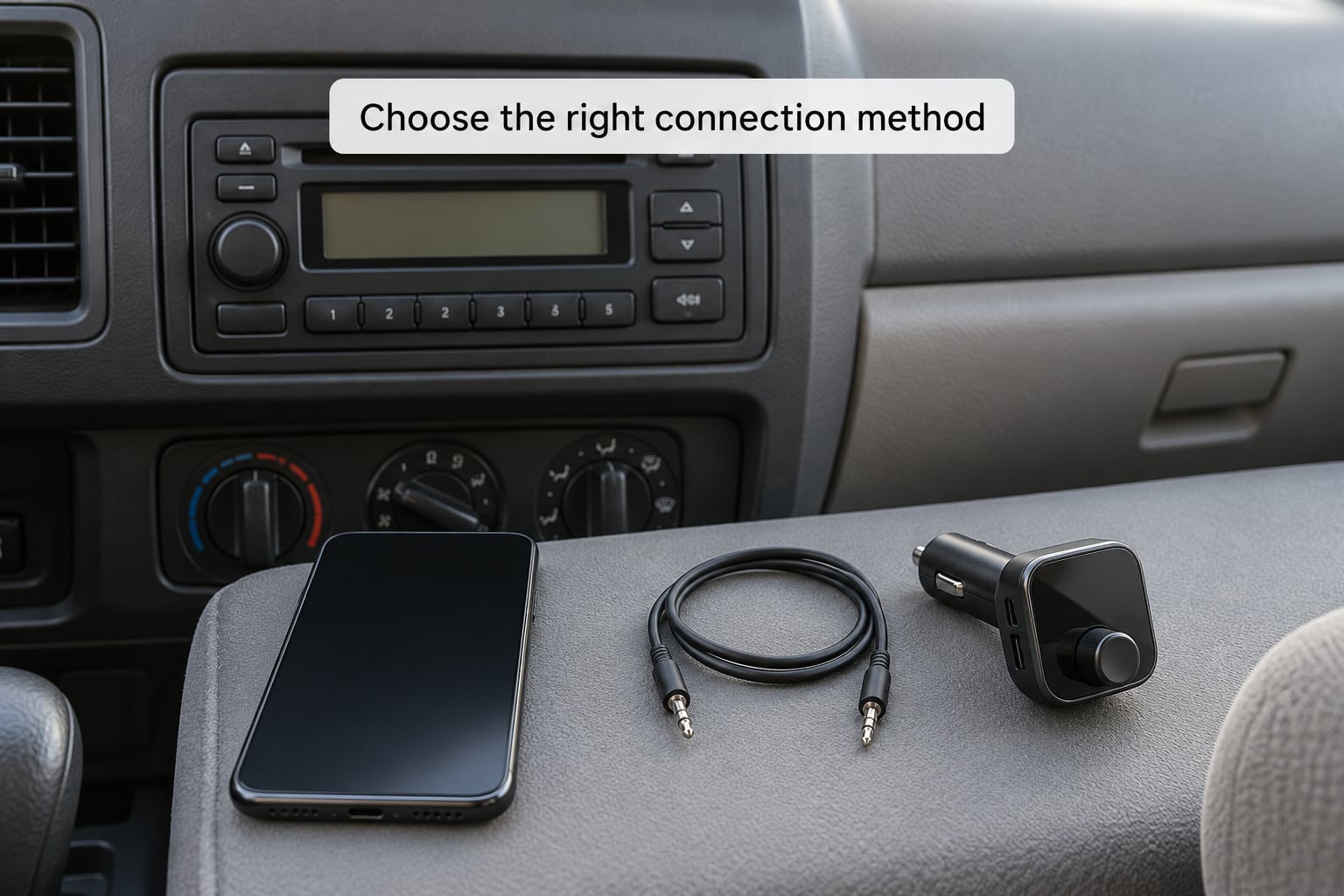
Four routes cover almost every old head unit, and the fork is decided by what the stereo gives you.
- FM transmitter when you have a 12V socket and no aux jack. Broadest compatibility, works on any radio, and the least fiddly to install.
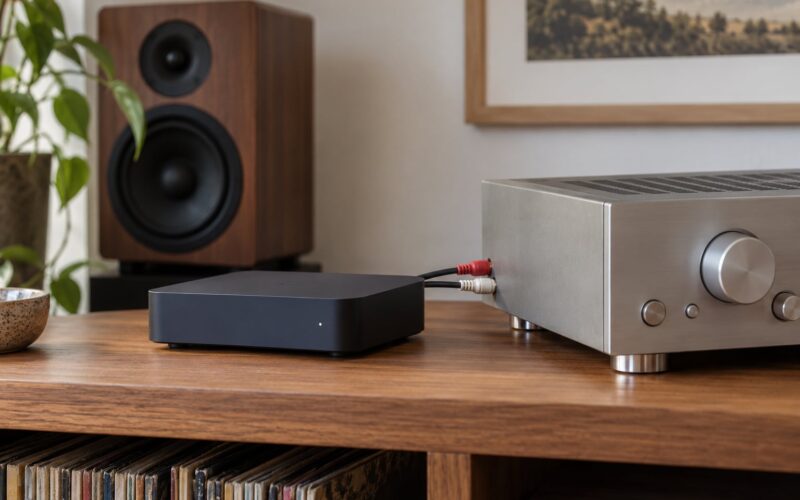
- AUX Bluetooth receiver when a 3.5mm jack exists. A short cable carries the signal directly, so you get noticeably better sound.
- Bluetooth cassette adapter when the factory stereo has a working tape deck. No 12V socket needed and nothing gets plugged into the lighter.
- Factory-integration kit when the stereo has no aux, no cassette and no accessible socket, or when the original faceplate must stay untouched and hidden.
For most people, the FM transmitter is the right starting point because it works everywhere and takes ten minutes. If you have a working aux jack and care how music sounds, use the receiver instead. Podcast listeners and audiobook listeners tend to be happier with either, since speech tolerates the FM ceiling that music does not.
Prepare the vehicle and stereo
Park on level ground, in gear or in park, with the parking brake on. Read the owner’s manual section on the stereo and the 12V socket before you touch anything, and note the socket’s current rating in amperes.
Look along the lower edge and front face of the head unit for an aux socket, a rubber plug covering one, or a marked line-in input. Check the glovebox and ashtray for a 3.5mm socket too, because plenty of cars hide the aux input there rather than on the stereo itself.
Leave existing wiring alone. Do not pull the dashboard trim apart unless you are deliberately swapping the head unit or installing a hidden kit behind it, and if you do open the panel, work from the outside edges inward so the plastic clips do not snap. Keep airbag zones clear: never route a cable across a passenger-side dash panel or pillar trim where a deployed airbag would need to travel.
Connect and power the adapter
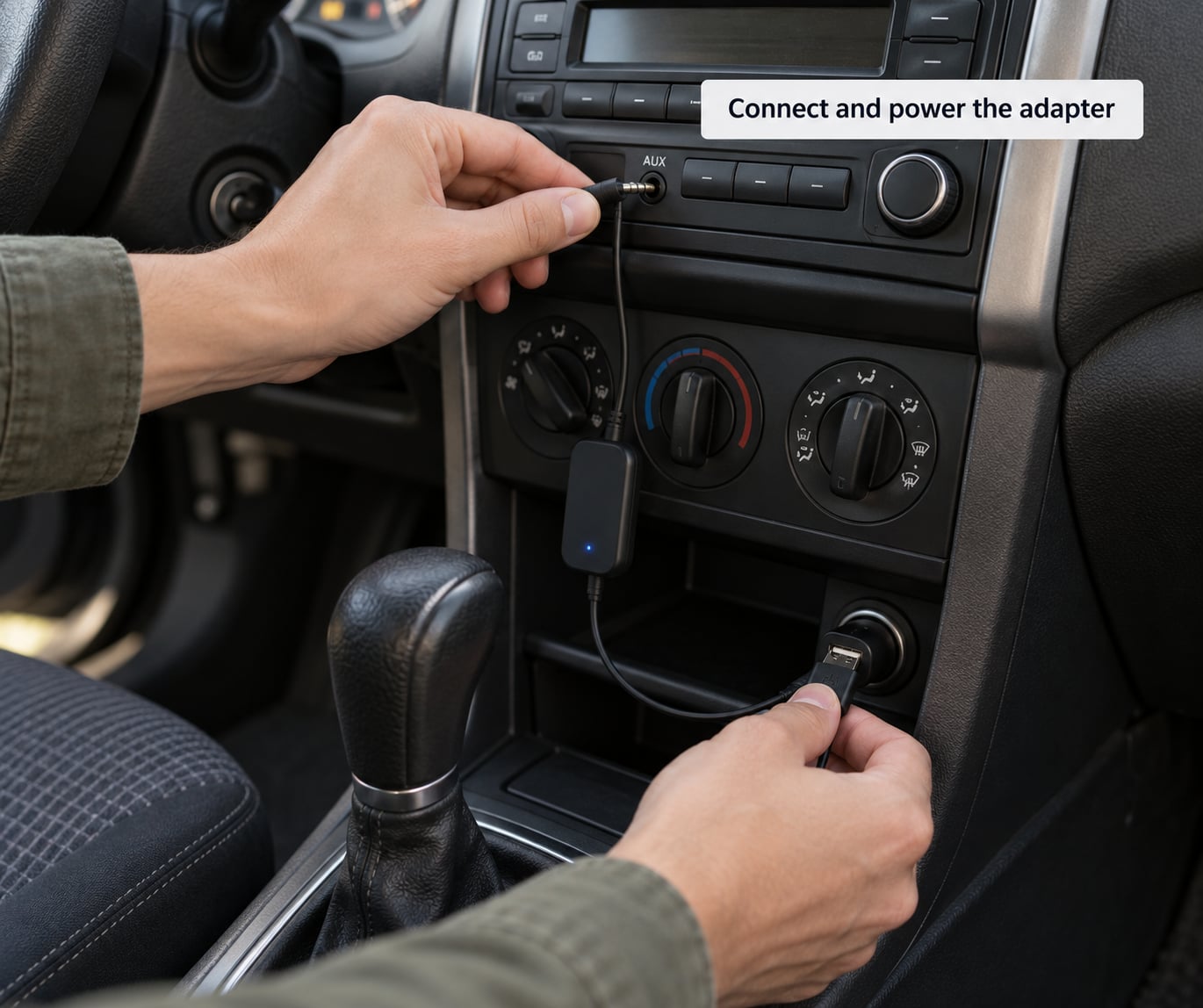
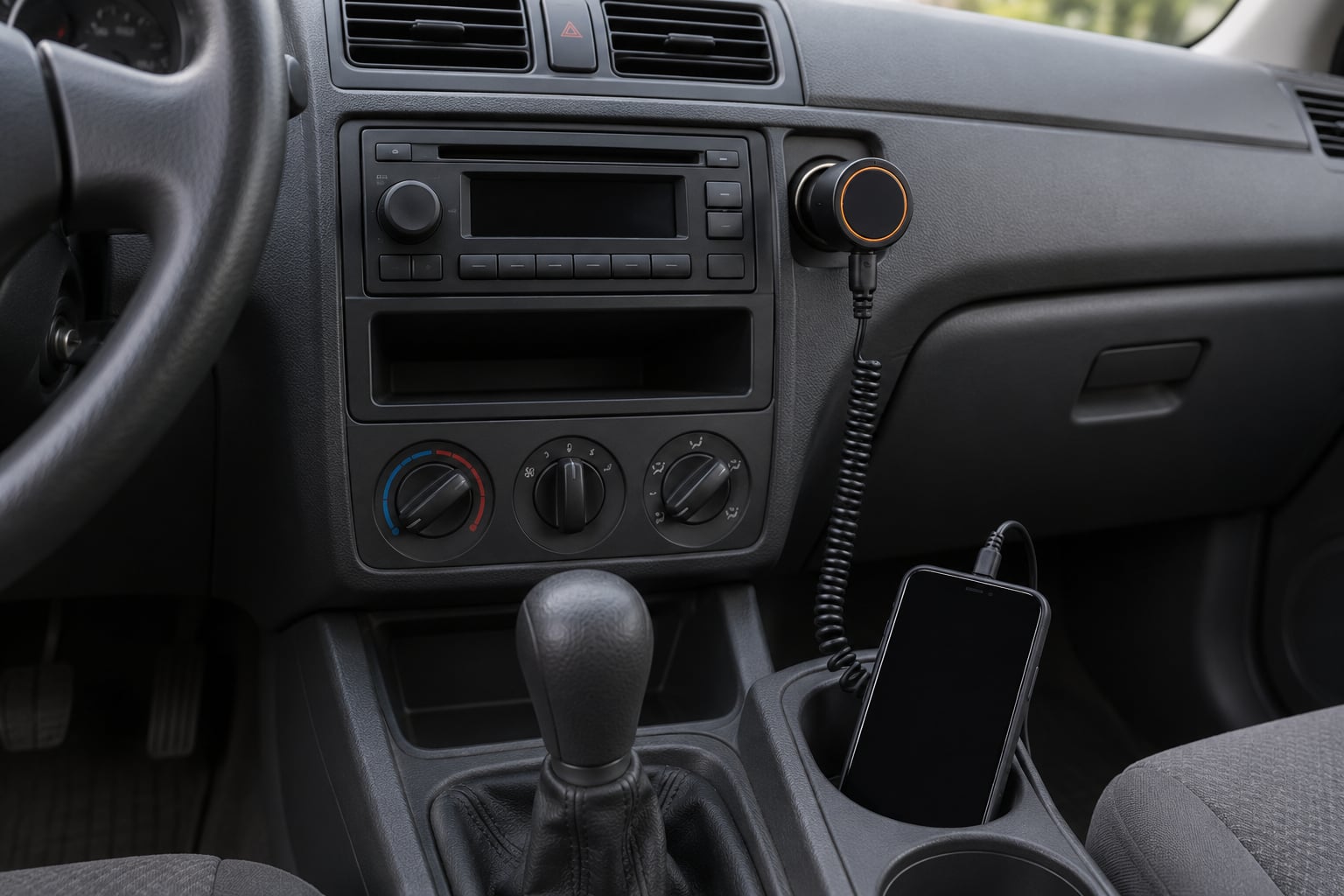
For an FM transmitter, plug the barrel connector into the 12V socket until it seats firmly, then check that the frequency display has lit up. Most units charge your phone over a built-in USB port while they draw power from the socket, and a few include a USB-C port with fast charging. Read the label for the output rating before plugging in a larger device.
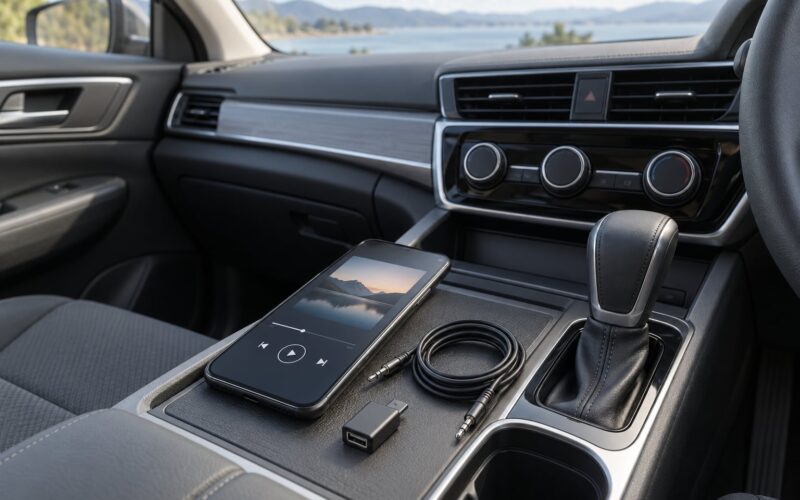
For an AUX receiver, push the 3.5mm plug into the stereo’s jack or adapter cable. If the receiver is a separate puck powered by USB, run its cable down the console or through the shift boot so it cannot bounce against the shifter, then plug the charger into the 12V socket or a USB port.
Route every cable along an existing seam rather than across an open surface. A rough road vibrates a loose plug enough to break a connection mid-drive, and one that does is the complaint that shows up most often on car audio forums.
Pair the phone and start streaming radio
On iPhone, open Settings, tap Bluetooth, and pick the receiver or transmitter from the device list. On Android, the pairing lives under Settings, then Connected devices or Bluetooth, and the device shows under Available devices.
Once paired, open your streaming radio or music app and press play. Bluetooth audio does not always start on its own, so check the phone’s media output and make sure the car is selected as the active audio route.
Set the phone volume somewhere around 70 to 80 percent, then use the stereo knob for the rest. Owners on r/askcarguys and installers both point to this as the fix for most distortion complaints: a phone at full volume drives the adapter’s pre-amp into clipping, and the resulting crunch reads as a cheap device when it is really just gain staging.
For hands-free calling, choose a receiver with a built-in microphone and a noise-cancelling one. Tiny mics on budget dongles pick up tyres, wind and engine noise, which is why call quality on cheap units is often unusable in a moving car.
Test the setup and reduce interference
Tune the car radio to the exact frequency shown on the transmitter and listen for a quiet stretch between stations. If you hear a broadcaster underneath, move the frequency up or down a couple of channels and try again.
Test in the driveway and then on a route you drive often. A frequency that sounds empty at home can collide with a transmitter fifteen miles down the road, and rural stretches open up new interference that a dense city never has. Setting the station in the driveway is genuinely misleading advice, and it is the number one reason drivers end up retuning mid-journey.
If sound is thin, tinny or flat, that is the FM modulation limit, not a fault. Move the transmitter closer to the windscreen or away from the aerial lead and try again. If you hear a high-pitched whine that rises with engine speed, that is ground loop hum from the charging system, and an inline ground loop isolator on the adapter cable fixes it in a few minutes.
Balance the levels so the stereo sits around two-thirds up and the phone around three-quarters. If the connection keeps dropping, move the adapter away from the phone rather than closer to it, and check that the device is not auto-disconnecting after two minutes of inactivity.
What to do if you want a permanent upgrade
An adapter is a fix for a working stereo. If the original radio is already dead, weak, or sounds thin with any source, replacing the head unit is often barely more work and gives you Bluetooth, USB, a proper microphone and better speakers control built in.
Before buying, check the fit. Most head units use a single-DIN or double-DIN opening, and older cars often need a trim ring or a spacer to fill the gap left by the factory unit. A single-DIN unit with a flip-out screen is the easy fit where the opening is single-DIN.
Match the wiring rather than trusting colour codes. The standard is a DIN harness adapter for power, speakers, the power antenna lead and the amp remote lead, and the remote lead is what tells an external amplifier to switch on. Leave a matching fuse in any new fused power feed and follow the manual for the vehicle rather than a diagram for a similar car. If the job involves cutting into existing harnesses or routing behind trim on a car worth keeping original, hand it to a professional installer.
Common Mistakes
- Picking an occupied FM frequency. Scan the band for an empty gap, check it on a drive, and choose another channel if a station bleeds through.
- Leaving the adapter loose in the 12V socket. A worn socket lets the plug creep out over bumps. Push it fully home and add tape around the barrel if needed.
- Rough ground clearance. Route cables along console seams, not across the shifter or the pedals.
- Loose auxiliary plugs. Push until it clicks, and add a short strain relief so the cable never takes the pull.
- Expecting hands-free calls from a music-only transmitter. Check for a built-in microphone before you buy if calls matter to you.
- Phone volume at 100 percent. Bring the phone down to roughly three-quarters and let the stereo do the rest; the distortion disappears.
- Leaving the socket powered overnight. A live socket drains an older battery slowly. Unplug the adapter when you park, especially on a car that sits for days.
One more worth naming: an adapter that works on Android may have poor, unreliable firmware on iPhone, so check that both platforms are supported before you commit.
Frequently Asked Questions
Can I add streaming radio to an old car stereo without replacing it?
Yes. In most cases the original stereo stays exactly where it is. An FM transmitter broadcasts your phone to a local frequency the radio already tunes to, an AUX receiver sends audio straight down the 3.5mm jack, and a Bluetooth cassette adapter uses the tape deck. Only cars with no aux, no cassette and no accessible socket need a factory-integration kit or a head unit swap.
What is the easiest way to stream radio in an older car?
A Bluetooth FM transmitter is usually the easiest route. It plugs into the 12V socket, pairs with your phone in about a minute, and you tune the radio to one number on the display. Nothing gets removed, no screws come out, and the whole thing can be moved to another car in seconds. Owners on car audio forums reach for it first for exactly that reason.
Will an FM transmitter work with every car radio?
Almost always, because any FM tuner can receive one. Modern stereo systems with satellite radio sometimes use part of the FM band for auxiliary content, so a transmitter set to that channel will sound wrong until you change the frequency. Very old sets with poor tuners are also more likely to pick up noise between stations. Both problems disappear if you switch to a mid-band channel.
Is a Bluetooth receiver better than an FM transmitter for streaming radio?
For music, yes, and for any radio station stream too. An AUX receiver hands audio to the head unit as a direct electrical signal, so nothing is lost in an FM round trip. The trade-off is that it needs a working 3.5mm jack. Without one, the transmitter remains the only plug-and-play answer unless you fit an aux retrofit or a hidden kit.
How do I stop an FM radio station from interfering with my stream?
Move to a different channel. Scan the band for a stretch with nothing on it, then confirm on the road rather than in the driveway, because interference changes as you travel and can come from a transmitter well away from you. If the whole band seems busy in your area, try the quiet end of the dial just below the top of the FM band, and move the transmitter away from the windscreen aerial.
Should I install a new car stereo myself or use a professional?
Swapping a plug-in adapter takes minutes and needs no skill. A head unit swap takes longer and needs trim tools, a correct harness adapter and confidence with the power antenna and amp remote leads. For a modern car, or any vehicle where you would cut factory wiring or work near airbag components, use a professional installer. For a classic car, a specialist who preserves original trim is the safer bet.
Conclusion
Start by checking what your old stereo actually has. If there is an aux jack, use a Bluetooth receiver for the best sound; if there is a tape deck, a Bluetooth cassette adapter is the quietest option; if all you have is an FM tuner and a 12V socket, an FM transmitter gets you streaming radio today without touching a single wire.