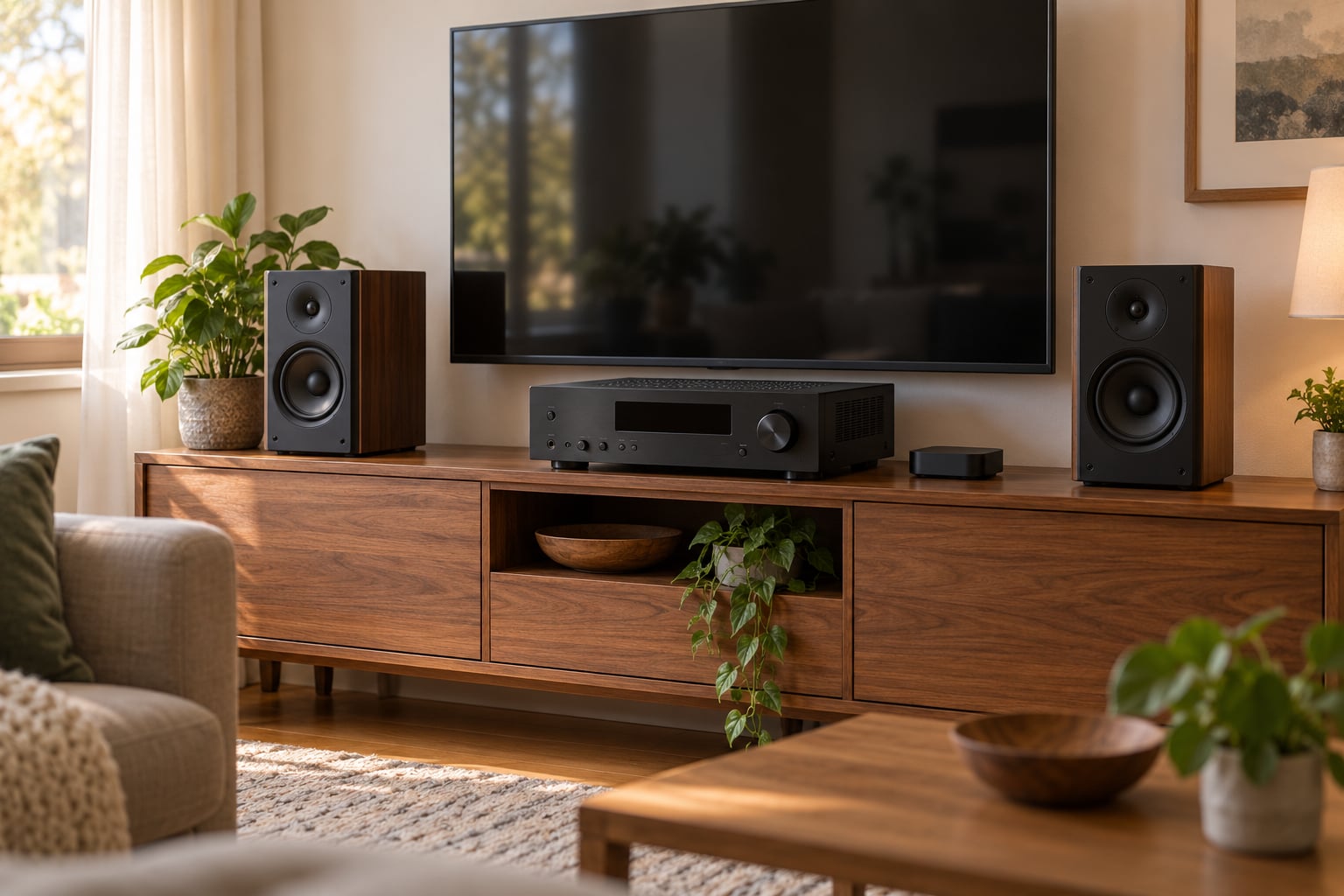
A stereo receiver is the box in the middle of a two-speaker system. It takes audio from your sources, lets you pick one, controls volume and tone, and sends the result out through speaker terminals at a level loud enough to drive the speakers. That is the whole job.
The trouble is that a receiver also does half a dozen other things at the same time, which is why the back panel looks terrifying. This guide takes what a stereo receiver does apart piece by piece, so you can decide whether you need one at all.
Table of Contents
- What a Stereo Receiver Does
- How Audio Moves Through a Stereo Receiver
- Inputs, Outputs, and Why the Labels Matter
- The Main Features That Change the Listening Experience
- Stereo Receiver vs. Amplifier vs. Wireless Speaker
- How to Choose a Stereo Receiver for Your Speakers
- How to Set Up a Stereo Receiver for Listening
- Common Stereo Receiver Problems and Quick Checks
- Frequently Asked Questions
- Do I need a stereo receiver if I already have powered speakers?
- What is the difference between a receiver and an integrated amplifier?
- How many watts do I need for my speakers?
- Can a stereo receiver connect a TV and a turntable at the same time?
- Does a stereo receiver improve the sound quality of streaming music?
- Is it safe to leave a stereo receiver switched on all day?
- Where to Start with a Stereo Receiver
What a Stereo Receiver Does
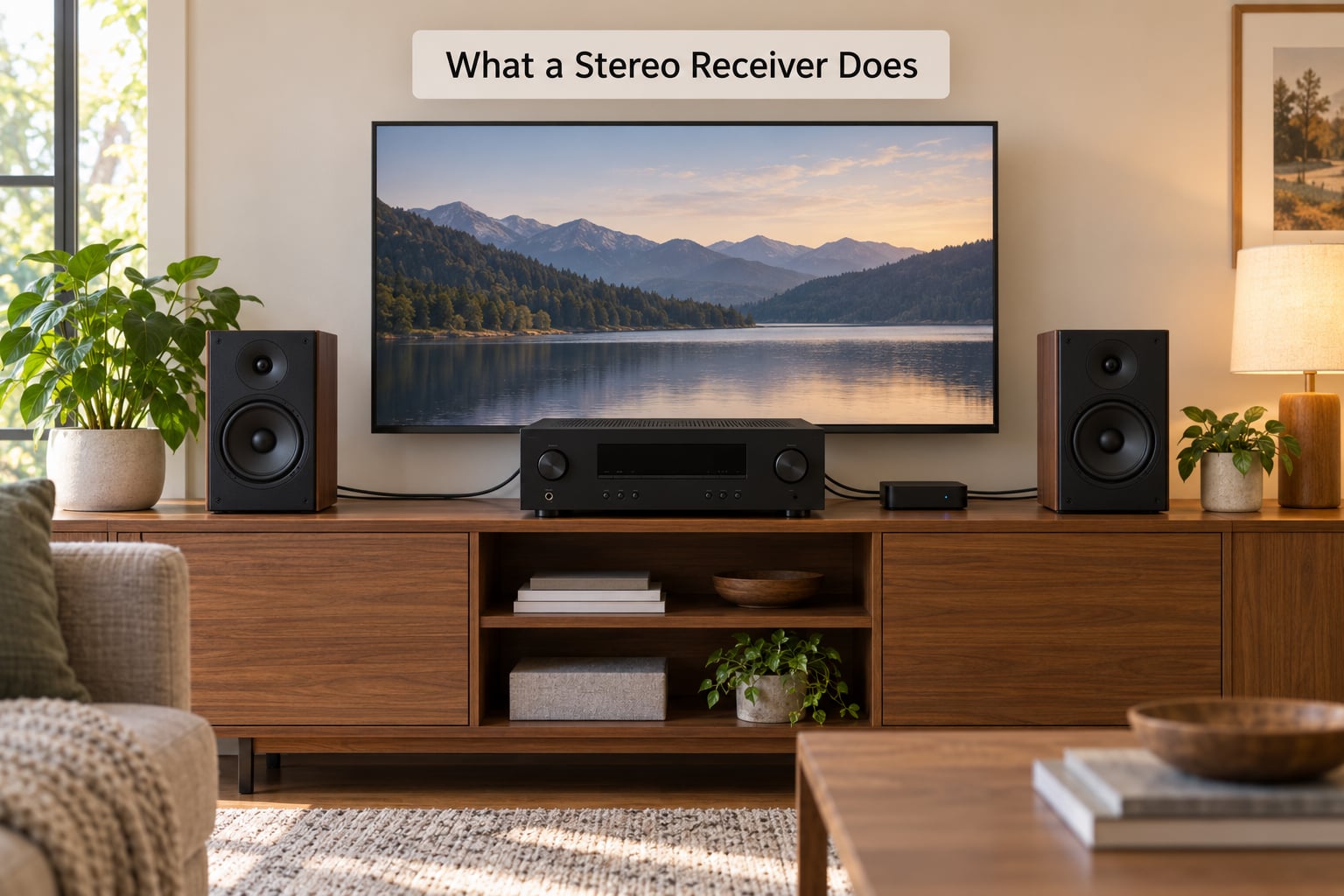
A stereo receiver gathers audio signals from several devices at once, lets you select which one you want to hear, processes that signal, and amplifies it into power for a left and right speaker pair. Most also carry an AM/FM tuner, so it can do double duty as an old-fashioned radio.
Strip away the menus and a receiver performs five distinct jobs:
- Source switching. Choosing between the turntable, the TV, the streamer or the tuner with one press of a button.
- Signal conditioning. Converting digital audio to analogue with a DAC, adding volume control, and applying tone settings.
- Amplification. Turning that low-level line signal into watts your passive speakers can actually move.
- Room and speaker correction. Using a calibration mic to set levels, delay and bass management for your room.
- Radio and streaming. Receiving AM/FM broadcasts and, on newer units, Bluetooth or Wi-Fi music services.
Items two and three are separate stages that happen to share a chassis. That split is the single most useful thing to understand, and it comes back later when we compare a receiver with an integrated amplifier.
How Audio Moves Through a Stereo Receiver
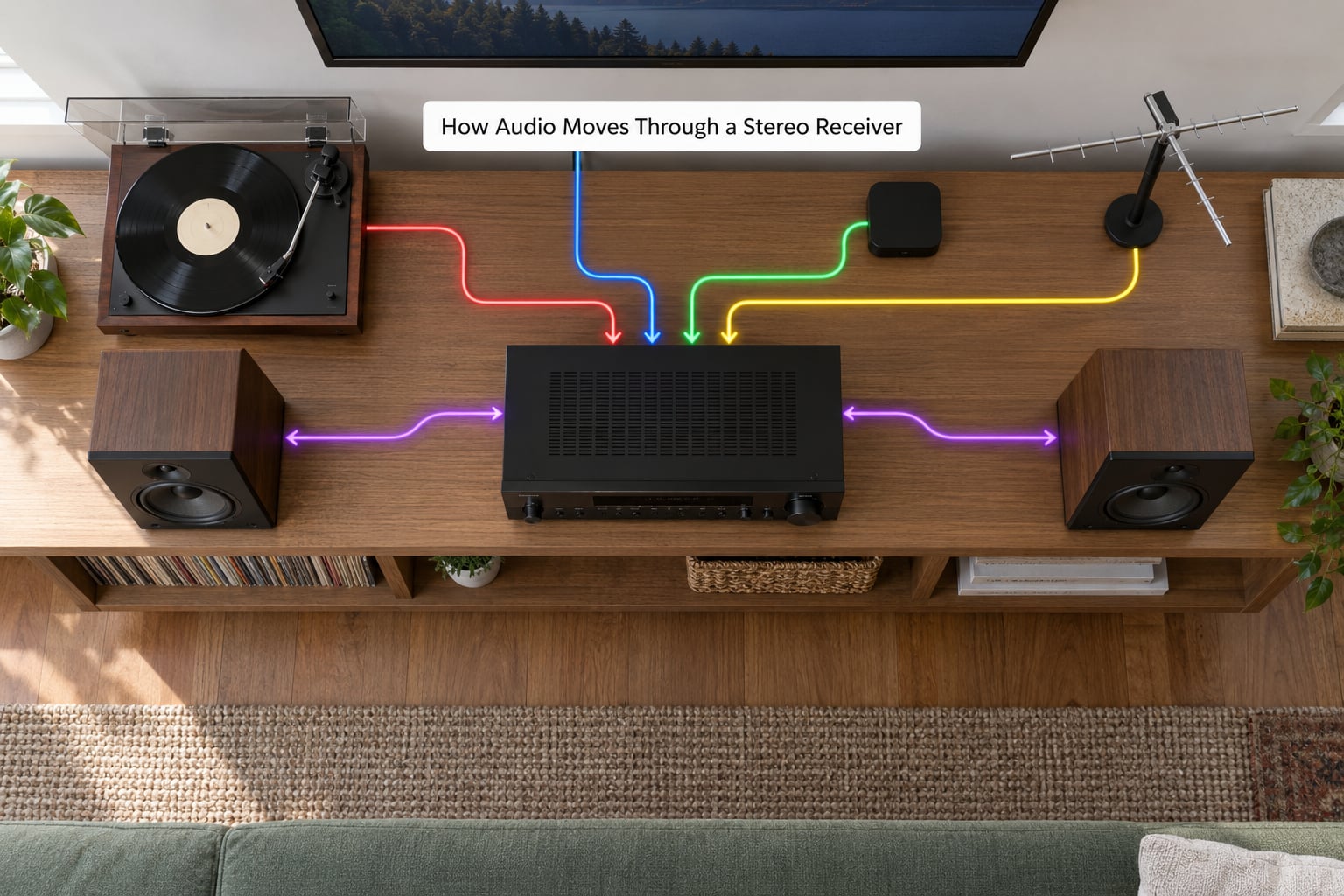
Picture a Saturday afternoon. You press TV on the remote, the receiver wakes, and the dialogue from a broadcast feed comes out of both speakers at the level you set last night.
Here is that trip in stages.
| Stage | What happens | Common name |
|---|---|---|
| Input | The signal arrives over HDMI, optical, coaxial, RCA, Bluetooth or an antenna | Source |
| Conversion | Digital audio is turned into an analogue waveform if it arrived in digital form | DAC |
| Control | You choose the input, set volume, and the receiver applies bass, treble and calibration | Preamplifier, or preamp |
| Amplification | The line-level signal is boosted into current and voltage a speaker needs | Power amplifier |
| Output | Signal leaves through binding posts or terminals to the left and right speakers | Speaker terminals |
Three distinct functions sit in that chain. Decoding deals with compressed surround or hi-res audio formats. Amplification deals with raw power. Control deals with everything you touch: the input selector, the volume knob, the tone controls and the calibration results.
Vinyl is the exception that proves the rule. A turntable output is tiny, around a few millivolts, so it needs a phono stage to raise it to line level first. If your receiver has a phono input, that stage is built in. If it does not, you need an external one.
What Can You Connect to a Stereo Receiver?
Almost anything that outputs audio. Whatever a stereo receiver does with each of these sources comes down to the same three moves: switch to it, convert it if needed, and send it out amplified. These are the usual suspects:
- AM/FM radio through a bundled antenna, or an antenna you supply.
- Streaming devices over HDMI, optical or Wi-Fi, plus Bluetooth from a phone.
- Turntables with a built-in phono stage, on any line input. Ones without it need the phono input.
- CD players, tape decks and computers over RCA line inputs or USB.
- Televisions over HDMI, optical or the TV’s own audio out.
- Game consoles and Blu-ray players over HDMI or optical.
- A second speaker pair for zones such as a kitchen or patio, if the unit has speaker terminals or pre-outs for them.
Count your sources before you shop. It is far less painful to buy the right number of inputs once than to swap the receiver later.
Inputs, Outputs, and Why the Labels Matter
An input takes a signal into the receiver. An output sends one out. Half the confusion in a shop comes from mixing the two up.
Inputs and Outputs Explained
- HDMI carries digital audio and video together. For a TV or game console this is usually the best choice, and audio-only devices work fine in an HDMI input. One HDMI output sends the picture onward to the television, often with eARC for getting TV audio back into the receiver.
- Optical (TOSLINK) and digital coaxial are digital audio only, no video. Optical handles surround bitstreams from an older Blu-ray player perfectly well.
- RCA analog line inputs take left and right line-level audio from anything with red and white sockets. Stereo only, so surround formats will not work.
- Phono input is an RCA input with a built-in phono stage, usually labelled PHONO and often with a grounding post next to it.
- Speaker terminals are the outputs that go to your speakers, either spring clips or binding posts that accept bare wire or banana plugs.
- Pre-outs are line-level outputs for an external power amplifier or powered speakers. No volume control is applied downstream unless the receiver supports it.
- Bluetooth and Wi-Fi are wireless inputs. Bluetooth compresses the audio, so a wired digital path generally sounds better for anything serious.
- Headphone output is usually its own amplifier, so you can listen without waking the speakers.
A rule of thumb that has never let me down: use the connection both devices were designed around. HDMI to HDMI, optical to optical, and RCA for whatever is left.
The Main Features That Change the Listening Experience
Specs sheets are long, but only a handful of features change what you hear day to day.
Room correction measures your room with a supplied microphone and sets channel levels, speaker distance and bass management automatically. Systems like Audyssey, YPAO and MCAS do this. It fixes real problems such as a speaker standing 10 cm off a wall, and it can overcorrect in an already dead room.
Format decoding matters mostly if you own an AV receiver. Dolby Atmos and DTS:X need more channels than a stereo receiver has, so on a two-channel unit these formats get flattened to stereo or ignored.
DAC quality converts your digital files to analogue. Differences between good and budget converters are real but modest, and you would hear speaker or room problems first.
Streaming and app control add convenience rather than fidelity. Bluetooth is genuinely useful; built-in Wi-Fi services are handy when you would rather not hunt for a remote.
Multi-zone support means a second speaker pair in another room. If you do not have that second room, skip it and spend the money on the main system instead.
Ignore anything you cannot name a use for: 8K passthrough claims, gaming latency modes and exotic streaming apps you will never open. They add menu clutter, not sound.
Stereo Receiver vs. Amplifier vs. Wireless Speaker
Three different boxes, often sold for the same money, doing very different amounts of work.
| Criterion | Stereo receiver | Integrated amplifier | Wireless speaker |
|---|---|---|---|
| Sources it can select | Usually several, plus radio | Several, usually no tuner | Phone app only |
| Powers passive speakers | Yes | Yes | No, it has its own driver |
| Wired digital audio | HDMI, optical, coaxial | Varies by model | Rarely |
| Video handling | Stereo units usually pass nothing | Rarely | No |
| Second room / zone | Often, with extra terminals or pre-outs | Sometimes | Anywhere on the same network |
| Best for | One room, several sources | Hi-fi music, fewer sources | Casual listening in one spot |
An amplifier, strictly speaking, is the power section only. It needs something upstream to tell it what to play. An integrated amplifier folds a preamp and often a DAC into the same box, so it does accept multiple sources, it just leaves out the radio tuner and the video switching.
A wireless speaker is simpler still. Pair it, press play, done. The cost is that everything is compressed or re-encoded, and adding a turntable or a TV means a separate box anyway.
One question comes up constantly: can you use an AV receiver for stereo only? Yes. A modern AVR powering two speakers in stereo generally sounds perfectly good, and it gives you HDMI switching and more connections for the money. The argument for a dedicated stereo unit is cleaner power and a simpler signal path. On r/StereoAdvice and r/BudgetAudiophile the consensus is usually that the speakers matter more than either box.
How to Choose a Stereo Receiver for Your Speakers
Start with the speakers, then work backwards. The receiver has to fit them, not the other way around.
Channels. For two speakers you want a two-channel unit. More channels are wasted money unless you plan a home theatre later.
Power. For most living rooms, 60 to 100 watts per channel into 8 ohms gives clean volume with headroom. Bigger rooms and less efficient floor-standing speakers want more. Match the number to the speaker’s recommended amplifier range rather than the biggest figure on the box.
Impedance. Speakers rated 4 ohms need a receiver that handles 4 ohms, and every receiver is happiest at 8. Check both before you buy.
Inputs. List the sources you have today plus one spare. Count HDMI, optical and RCA inputs and be honest about whether you need Wi-Fi streaming or just Bluetooth.
Room size. A small room does not need brute power, and a large open-plan space does not rescue a receiver with too little clean power. Buy for headroom, not for the size of the box.
Balance. Spend on power and connectivity you will use, not on feature lists. Used AV receivers from major brands are widely recommended on audio forums as good value for a two-channel system, and a simpler model with fewer menus is easier to live with daily.
How to Set Up a Stereo Receiver for Listening
Take it slowly and the process takes under half an hour. Follow the manual as well as these steps, and unplug everything from the wall while you connect cables.
- Place the receiver. Put it on a shelf or cabinet with airflow above and behind. Do not stack other gear on top of it.
- Connect the speakers. Run the supplied wire from each binding post to the matching speaker terminal. The black or grey wire goes to negative, the red or white to positive, and both speakers want matching polarity or the bass will thin out.
- Connect one source. Start with something simple such as a CD player or a streamer over optical, rather than working through every cable at once.
- Select that input. Set the volume low before switching on and pressing play.
- Balance the channels. Sit in your usual chair. If dialogue sits off to one side or one speaker sounds quieter, fix the balance before touching anything else.
- Run room calibration. If the unit includes a mic, put it at ear height in the chair you listen from and follow the prompts.
- Set tone gently. Cut bass and treble by a few decibels rather than boosting them. Boosting adds strain without adding detail, and leaving large treble boosts on is a reliable way to drive a speaker into its protection circuit.
Stop at the manufacturer’s guidance. Turn it up until it sounds strained, note the level, and stay well below it for normal listening.
Common Stereo Receiver Problems and Quick Checks
Most problems are one setting or one cable, and both take under a minute to rule out.
No sound at all. Check the input selector matches the source you are playing, and that the volume is up on the receiver rather than the TV. Confirm the speakers are on the right terminals and that the power is on.
Sound from only one speaker. Reseat that speaker’s wire at both ends and confirm polarity. A channel balance setting that has drifted can do the same thing.
Distortion or clipping. You are probably asking for more power than the unit can deliver cleanly. Turn it down; distortion should disappear with volume.
An input that will not work. A CD player needs RCA line inputs or optical, not a phono input. Check the input is not disabled in the setup menu, a common trip-up after a firmware update.
Constant hum, buzz or hiss. Hum at a steady pitch usually means a ground loop from running a power strip to both the receiver and the TV. Buzz on one source only points at that cable or that input. Unplugging devices one at a time finds the culprit fast.
Weak or dropping Bluetooth. Move the phone, close laptop lids and keep line of sight. Wired wins every time.
Remote or app not responding. Replace the batteries first, then check whether the device needs a clear line of sight or whether HDMI-CEC is waking the unit unexpectedly. Disabling CEC in the TV settings stops that particular irritation.
Overheating. Leave the cabinet open and clear of soft furnishings. Receivers run warm by design, and a hot unit will shut itself down to protect itself.
Frequently Asked Questions
Do I need a stereo receiver if I already have powered speakers?
Probably not. Powered, or active, speakers have their own amplifier built in, so they need only a source with a volume control. A phone, a streamer or a TV can drive them directly. A receiver earns its place only once you have passive speakers that need amplification, several sources to switch between, or a second speaker pair you want to power.
What is the difference between a receiver and an integrated amplifier?
A receiver includes an AM/FM tuner and source switching on top of everything an integrated amplifier does. An integrated amplifier combines a preamplifier, a DAC and a power amplifier in one box, usually without radio. If you listen to broadcast radio or want HDMI switching, choose a receiver. For two wired sources and music only, an integrated amplifier is often the tidier choice.
How many watts do I need for my speakers?
For a normal living room with bookshelf speakers, 60 to 100 watts per channel into 8 ohms gives you clean volume with a little headroom. Large rooms, low-impedance speakers and floor-standers that need to play loud all push toward 100 watts and above. Check the speaker maker’s recommended amplifier range and aim for a receiver that sits comfortably inside it.
Can a stereo receiver connect a TV and a turntable at the same time?
Yes, and it is a common setup. The turntable goes into the phono input, or a line input if it has its own phono stage, and the TV connects by HDMI or optical. They stay connected all the time; you just switch between inputs. The turntable’s grounding post needs a wire to the receiver’s ground terminal to avoid buzz.
Does a stereo receiver improve the sound quality of streaming music?
A good receiver gives streaming music a better chance, mostly because of the DAC, the clean power supply and the speakers it drives. It cannot repair a heavily compressed file, and Bluetooth adds its own compression, so streaming over Wi-Fi or a wired connection is better than Bluetooth. Expect the upgrade in the speakers themselves to be far more noticeable.
Is it safe to leave a stereo receiver switched on all day?
Yes, leaving one on is fine and common, particularly if it has a signal-sensing standby mode. It draws a little standby power and runs slightly warm, which is normal. Keep it in an open cabinet with airflow rather than a closed shelf, and do not stack other equipment on top of it. Standby saves more energy than switching it off each night.
Where to Start with a Stereo Receiver
Write down two things before you shop: which speakers you own and which sources you want to hear. Then match those two lists against the receiver’s inputs and its power per channel, and ignore everything else on the specification sheet. That is what a stereo receiver does for you in practice: it joins the sources you already have to the speakers you already own.
Start with two wired speakers on a stereo receiver, run the calibration once and leave the tone controls flat. You can add a turntable, a streaming box or a second room later, and every one of those additions is easier when the base system already sounds right.